- Android
- iPad
- .apk
- App Store
Feedback Killer AI 16CH (Android Tablet / iPad)
在Android 平板或 iPad上实现 16 通道 AI 啸叫抑制。一个密钥,一台设备
每个密钥 1 台电脑
永久有效
已发放密钥 1
使用优惠码 TSM10 仅需 ฿1,791
付款
信用卡 / 借记卡 全球可用
Visa · Mastercard · JCB · AMEX,通过 Stripe 支付。付款成功后会自动发放许可证密钥。
PromptPay 二维码 泰国银行账户
用泰国银行 App 扫描二维码,并在订单页面上传转账凭证;核对凭证后发放密钥。
价格以泰铢(THB)计。≈ 金额仅供参考,实际由发卡机构换算。 付款相关问题
购买前有疑问? 联系我们
详情
本产品说明由英文机器翻译而来,请以英文版为准。
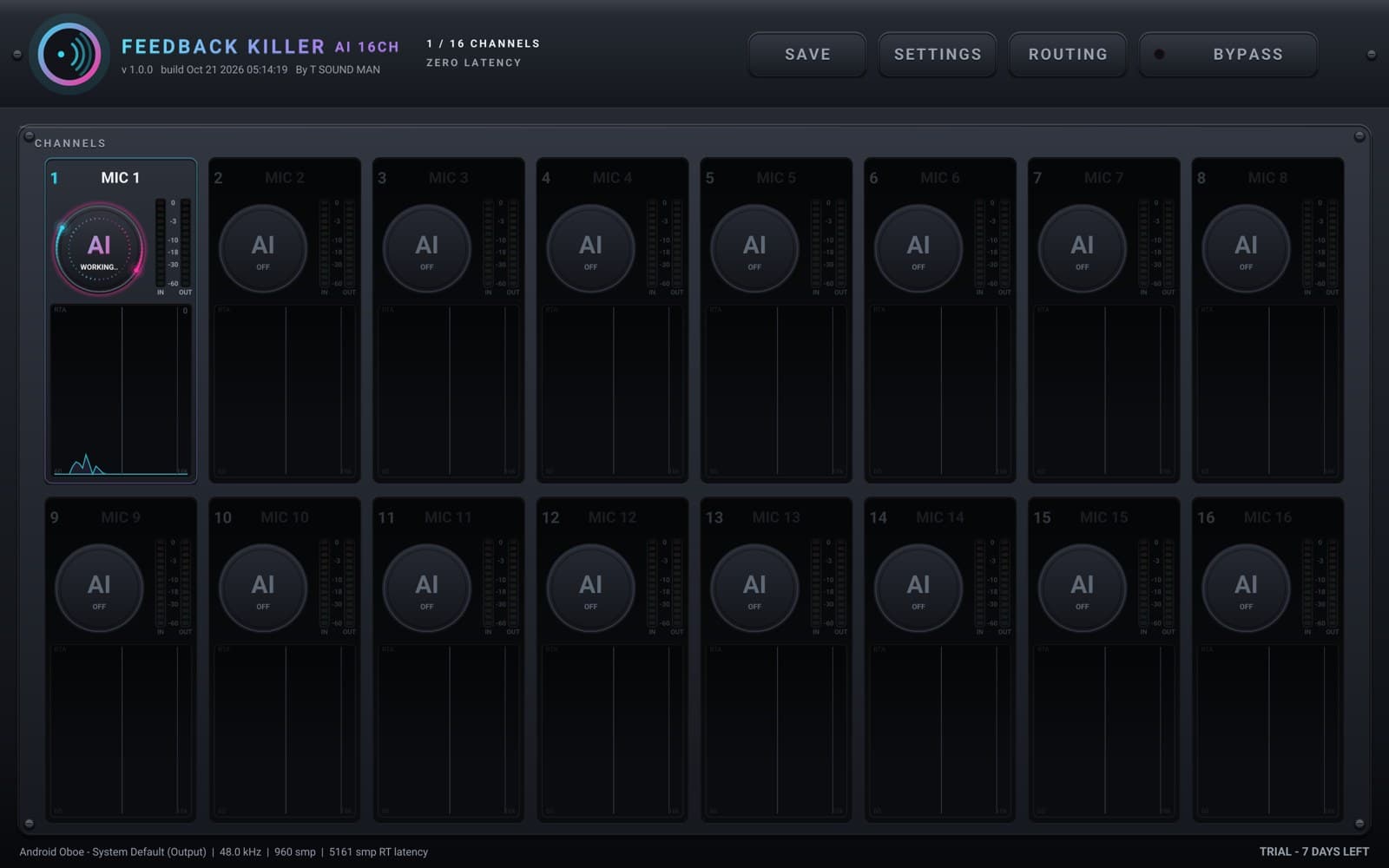
Feedback Killer AI 16CH 在Android 平板或 iPad上用 AI 自动消除现场扩声中的啸叫。把 USB 音频接口插到设备上,每个通道按下一个 AI 按钮即可,无需设置。
- 每通道一个 AI 按钮:应用会实时监听啸叫并自动放置陷波(与 Feedback Killer AI 插件相同的 AI)
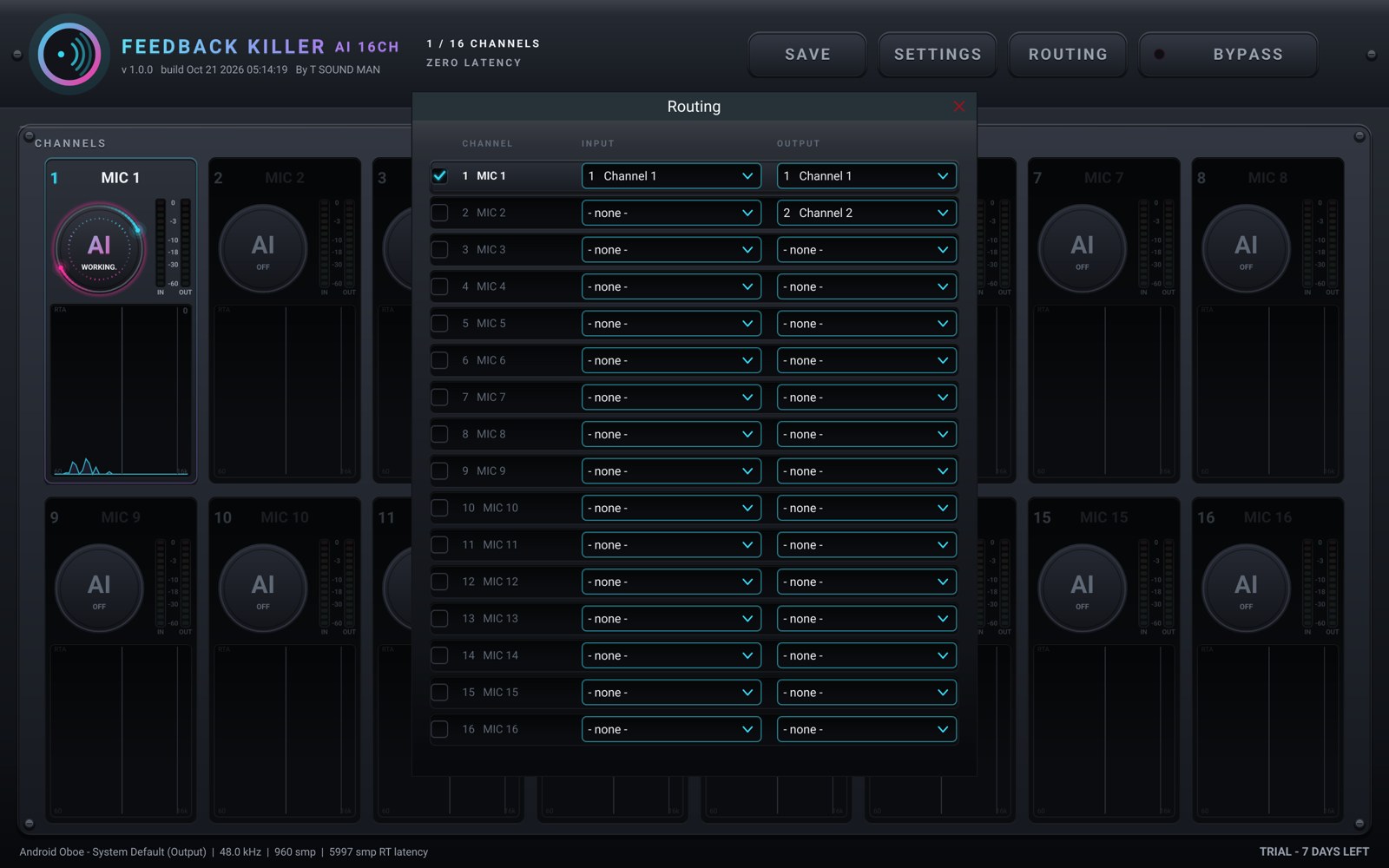
- 16 个输入输出通道,跟随你的接口;提供 ROUTING 页面
- 每个通道都有 IN / OUT 电平表和 RTA,全局 BYPASS,可保存和载入设置
- 若音频设备掉线或缓冲区跟不上,声音会直接通过而不是静音(故障保护)
- 这是平板(7 英寸或更大屏幕)和 iPad 应用:手机请使用 4CH 应用
免费使用全部功能 7 天。之后在 tsoundman.com 购买完整版,密钥可解锁一台设备(Android 平板或 iPad)。试用结束后若没有完整版,声音将不经处理直接通过。
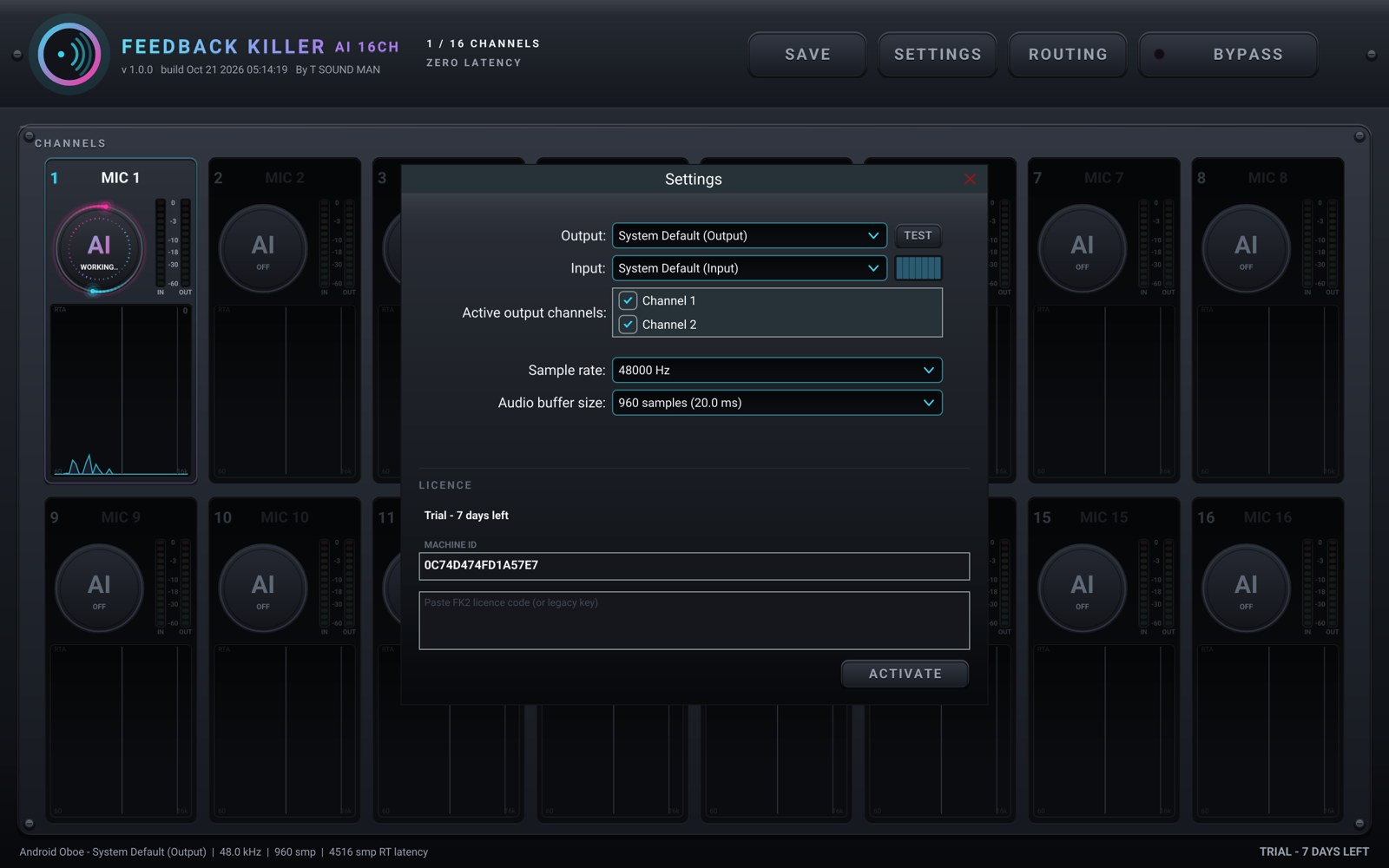
在 Android 上:在设备上下载 .apk 并打开(如有提示,请为所用的浏览器或文件 App 允许“安装未知应用”),然后在 App 的 SETTINGS 页面输入密钥。
在 iPad 上:从 App Store 安装 Feedback Killer AI 16CH(免费下载),然后进入 Settings > FULL VERSION > Sign in,用购买时所用 tsoundman.com 账户的邮箱和密码登录,无需输入密钥。
换到新设备:在旧的 iPad 上退出登录,或在“我的库”中解除设备,然后在新设备上使用。
规格
| 类型 | 手机 / 平板应用 |
|---|---|
| 支持系统 | Android · iPad |
| 格式 | .apk · App Store |
| 通道数 | 16 |
| 最新版本 | 1.0.5 |
| 许可证 | 每个密钥 1 台电脑 · 永久有效 |
| 免费试用 | 7 天,全部功能,无需注册 |
| 系统要求 | Android 8.0 或更高版本、7 英寸或更大屏幕的 Android 平板(建议 64 位芯片;16 通道很耗 CPU,需要较快的芯片),或 iPadOS 16 或更高版本的 iPad 免驱(class-compliant)USB 音频接口 Android:通过 .apk 安装(未在 Google Play 销售) iPad:App Store 上的 App,用 tsoundman.com 账户登录 |
截图
版本历史(英文)
- 1.0.5 - VOICE ONLY no longer loses the first syllable of a phrase when a band or crowd is in the mic: the mic opens at once. A quiet room still closes fully between phrases.
- 1.0.4 - New VOICE ONLY switch: the channel's mic closes by itself while nobody sings or speaks and opens again the moment a voice comes in / AUTO NOISE runs a new AI (AI 2) that tells singing and speech from music and noise bleeding into the mic far more accurately / Treble howls (2 kHz and up) are caught sooner, while still quiet, even when the voice is louder. No extra cuts on singing or music / Lighter on the CPU: the work is spread over every core, with bit-identical sound / Move devices yourself: Deactivate in SETTINGS gives the key back so you can activate the new device at once / Help improve the AI (new, only if you say yes, asked once): each AI cut sends that mic's sound from 45 s before to 25 s after with the technical settings (nothing personal, at most 20 a day; off any time in SETTINGS; details at tsoundman.com/privacy)
显示全部 (6)
- 1.0.3 - On sale: the licence key activates in SETTINGS (fixes "Could not connect to the licence server" when pressing Activate)
- 1.0.2 - Steady audio: fixes "no audio driver" blinking and short dropouts every few seconds; the screen stays on while the app is open
- 1.0.1 - Fits phones and tablets: channels with no input are parked and show NO INPUT, quieter OFF channels, settings panels sized to the screen
- 1.0.0 - First release on Android
iPhone / iPad · App Store
免费下载,试用 7 天后在 App 内一次性购买(无订阅)。支持 USB 音频接口。
也可以在本网站购买完整版(1 台设备:Android 或 iPhone / iPad),然后在 App 的 Settings > FULL VERSION > Sign in 用 tsoundman.com 账户登录。



Android · .apk 文件
安装方法(图片) ↗免费下载,试用 7 天,通过 .apk 文件安装。支持 USB 音频接口或设备自带麦克风。