- Android
- iPad
- .apk
- App Store
Feedback Killer AI 16CH (Android Tablet / iPad)
Android タブレットまたは iPadで 16 チャンネルの AI ハウリング抑制。1 キーで 1 台
1 キーで 1 台
有効期限なし
発行済みキー 1
コード TSM10 で ฿1,791
お支払い
クレジット / デビットカード 全世界対応
Visa · Mastercard · JCB · AMEX(Stripe 決済)。支払いが完了するとライセンスキーが自動で発行されます。
PromptPay QR タイの銀行口座
タイの銀行アプリで QR コードを読み取り、注文ページに振込明細を添付してください。明細の確認後にキーを発行します。
価格はタイバーツ(THB)です。≈ の金額は目安で、実際の換算はカード会社が行います。 お支払いに関する質問
購入前のご質問は お問い合わせ
詳細
この製品説明は英語からの機械翻訳です。正確な内容は英語版をご確認ください。
Feedback Killer AI 16CH は、Android タブレットまたは iPadでライブ音響のハウリングを AI が自動で取り除くアプリです。USB オーディオインターフェースを接続し、各チャンネルの AI ボタンを押すだけ。設定は不要です。
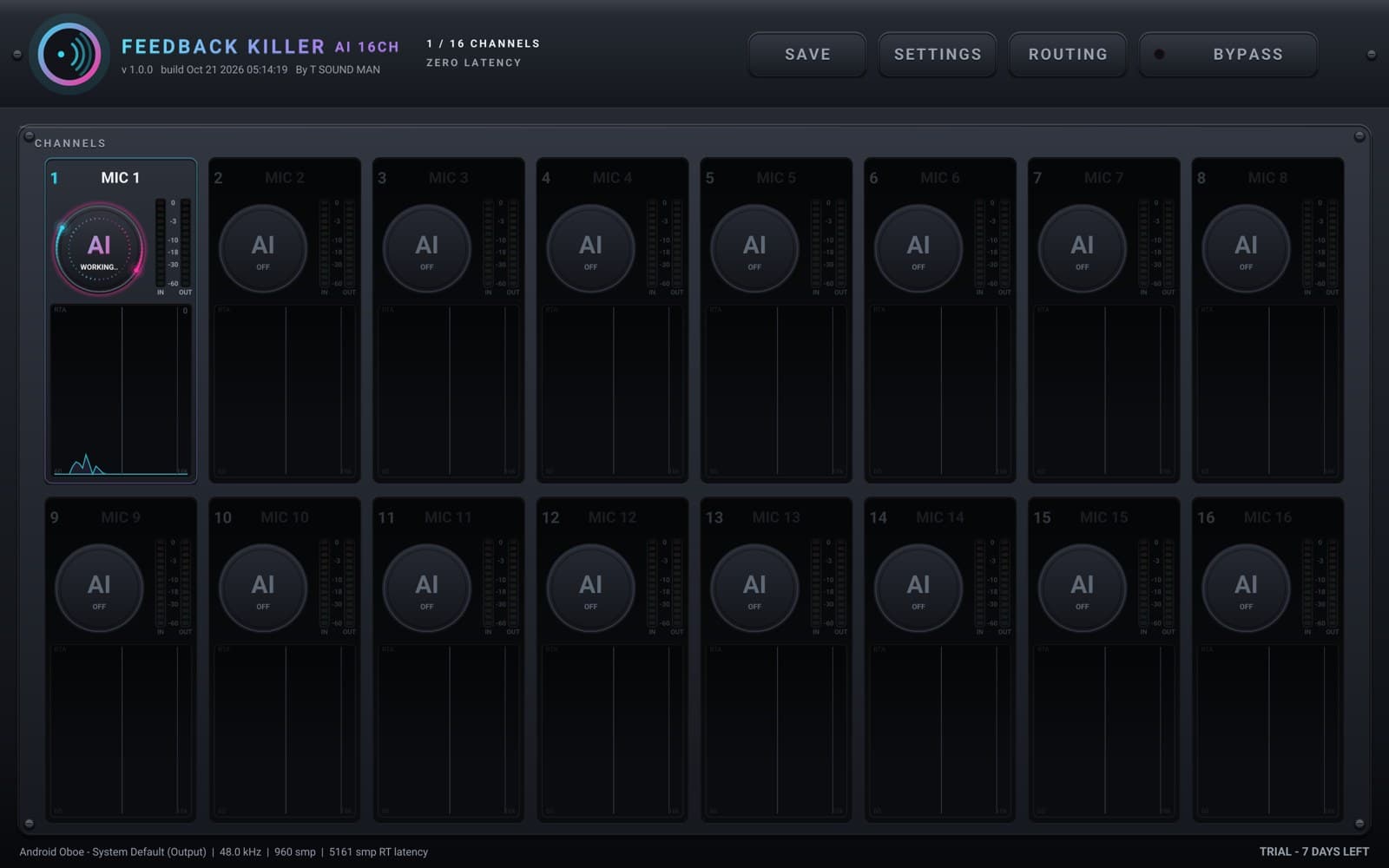
- 各チャンネルに AI ボタンひとつ:アプリがハウリングを聞き取り、リアルタイムで自動的にノッチを入れます(Feedback Killer AI プラグインと同じ AI)
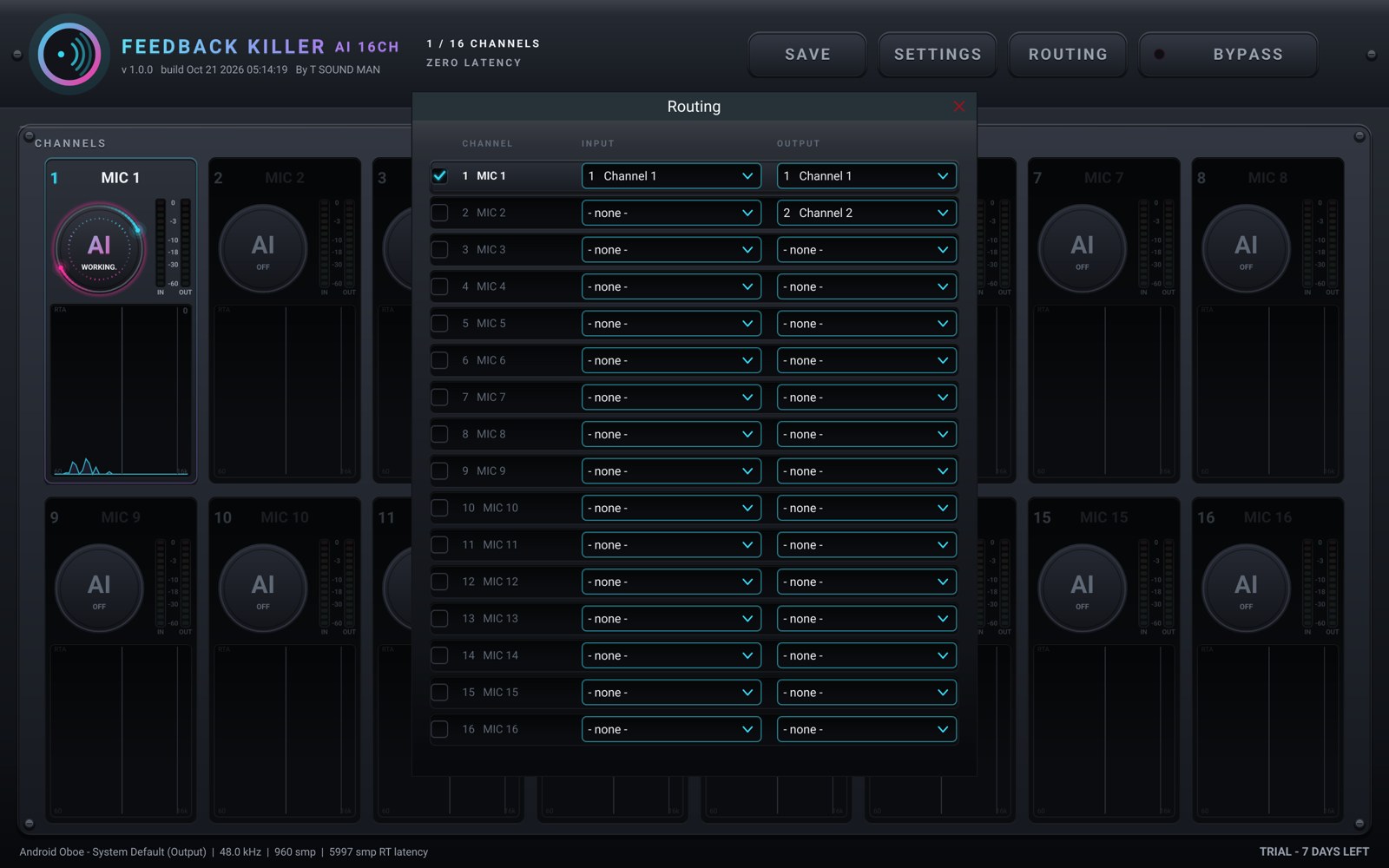
- 入出力 16 チャンネル(インターフェースに合わせて自動)、ROUTING ページあり
- 各チャンネルの IN / OUT メーターと RTA、全体 BYPASS、設定の保存・読み込み
- オーディオデバイスが途切れたりバッファが追いつかない場合も、無音にならず音をそのまま通します(フェイルセーフ)
- タブレット(7 インチ以上)と iPad 用アプリです。スマホでは 4CH アプリを使います
全機能を 7 日間無料で使えます。その後 tsoundman.com でフル版を購入すると、キーで 1 台のデバイス(Android タブレットまたは iPad)のロックを解除できます。体験期間終了後、フル版がない場合は音を処理せずにそのまま通します。
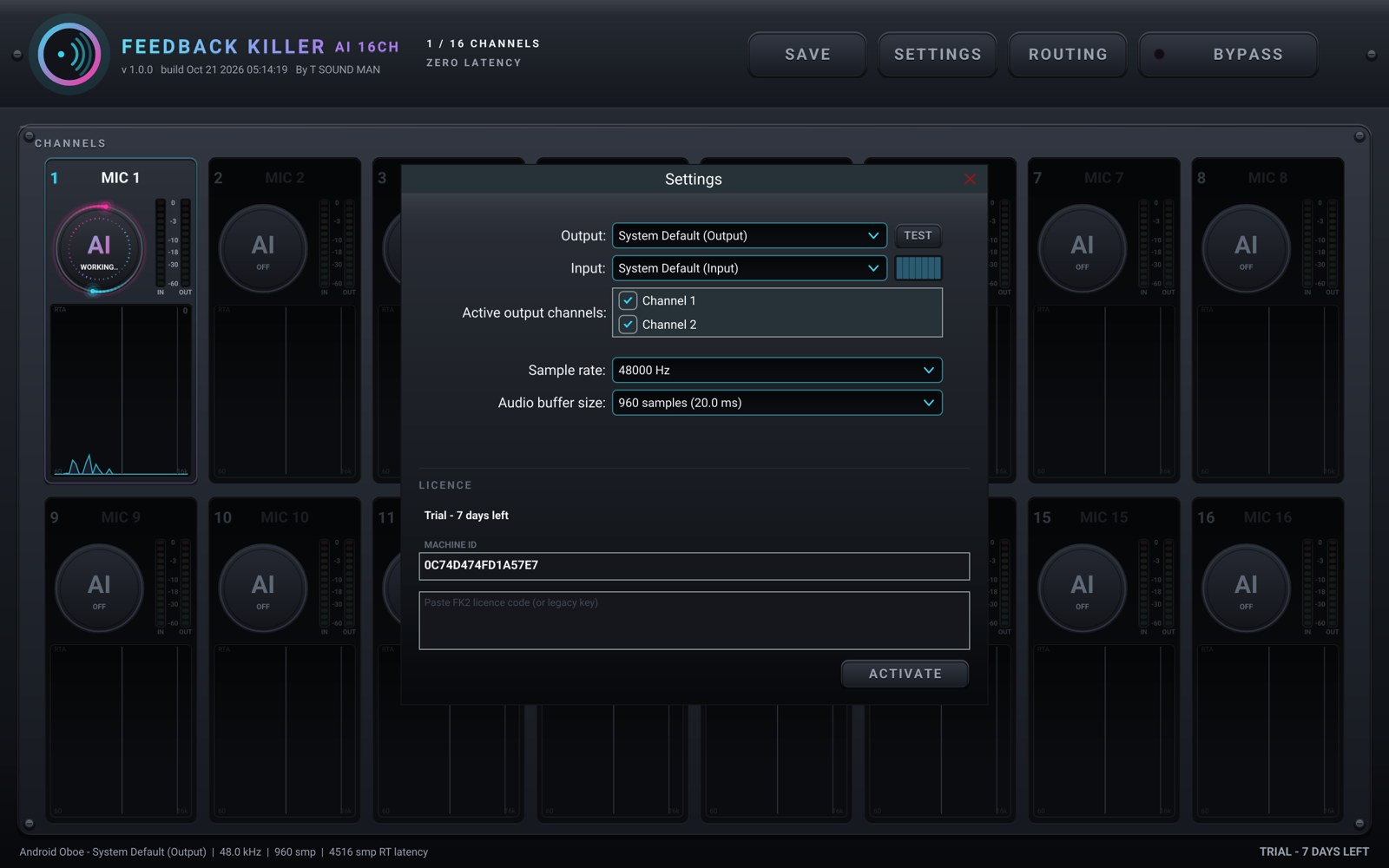
Android の場合:デバイスで .apk をダウンロードして開き(求められたら、使用中のブラウザまたはファイルアプリに「不明なアプリのインストール」を許可してください)、アプリの SETTINGS ページでキーを入力します。
iPad の場合:App Store から Feedback Killer AI 16CH をインストール(無料ダウンロード)し、Settings > FULL VERSION > Sign in で、購入に使った tsoundman.com アカウントのメールアドレスとパスワードでサインインします。キーの入力は不要です。
新しいデバイスへの移行:古い iPad でサインアウトするか、マイライブラリでデバイスを解除してから、新しいデバイスで使います。
仕様
| 種類 | スマホ / タブレット用アプリ |
|---|---|
| 対応 OS | Android · iPad |
| フォーマット | .apk · App Store |
| チャンネル数 | 16 |
| 最新バージョン | 1.0.5 |
| ライセンス | 1 キーで 1 台 · 有効期限なし |
| 無料体験 | 7 日間、全機能、登録不要 |
| 動作環境 | Android 8.0 以降・7 インチ以上の Android タブレット(64 ビットチップ推奨。16 チャンネルは CPU 負荷が高いため高速なもの)、または iPadOS 16 以降の iPad クラスコンプライアント USB オーディオインターフェース Android:.apk からインストール(Google Play では販売していません) iPad:App Store のアプリに tsoundman.com アカウントでサインイン |
スクリーンショット
バージョン履歴(英語)
- 1.0.5 - VOICE ONLY no longer loses the first syllable of a phrase when a band or crowd is in the mic: the mic opens at once. A quiet room still closes fully between phrases.
- 1.0.4 - New VOICE ONLY switch: the channel's mic closes by itself while nobody sings or speaks and opens again the moment a voice comes in / AUTO NOISE runs a new AI (AI 2) that tells singing and speech from music and noise bleeding into the mic far more accurately / Treble howls (2 kHz and up) are caught sooner, while still quiet, even when the voice is louder. No extra cuts on singing or music / Lighter on the CPU: the work is spread over every core, with bit-identical sound / Move devices yourself: Deactivate in SETTINGS gives the key back so you can activate the new device at once / Help improve the AI (new, only if you say yes, asked once): each AI cut sends that mic's sound from 45 s before to 25 s after with the technical settings (nothing personal, at most 20 a day; off any time in SETTINGS; details at tsoundman.com/privacy)
すべて表示 (6)
- 1.0.3 - On sale: the licence key activates in SETTINGS (fixes "Could not connect to the licence server" when pressing Activate)
- 1.0.2 - Steady audio: fixes "no audio driver" blinking and short dropouts every few seconds; the screen stays on while the app is open
- 1.0.1 - Fits phones and tablets: channels with no input are parked and show NO INPUT, quieter OFF channels, settings panels sized to the screen
- 1.0.0 - First release on Android
iPhone / iPad · App Store
無料ダウンロード、7 日間の体験後にアプリ内で一度だけ購入(サブスクなし)。USB オーディオインターフェースに対応。
このウェブサイトでフル版を購入し(1 台:Android または iPhone / iPad)、アプリの Settings > FULL VERSION > Sign in で tsoundman.com のアカウントでサインインすることもできます。
 Feedback Killer AI 4CHiPhone · 4 チャンネル · お住まいの国の App Store 価格App Store で見る ↗
 Feedback Killer AI 8CHiPad · 8 チャンネル · お住まいの国の App Store 価格App Store で見る ↗
 Feedback Killer AI 16CHiPad · 16 チャンネル · お住まいの国の App Store 価格App Store で見る ↗
 FeedbackKiller Plus+ 8CHiPad · 8 チャンネル · お住まいの国の App Store 価格App Store で見る ↗
Android · .apk ファイル
インストール方法(画像) ↗無料ダウンロード(7 日間の体験版)。.apk ファイルからインストールします。USB オーディオインターフェースまたは本体のマイクで使えます。