An automatic feedback suppressor for live sound (VST3 on Windows and Mac, AU on Mac). Insert it on a microphone channel in your DAW or host (for example Signal Rack) and it listens for howling and notches out only those frequencies — with zero added latency.
Install
- Windows (VST3): unzip and copy Feedback Killer.vst3 to C:\Program Files\Common Files\VST3\
- Mac (VST3): copy Feedback Killer.vst3 to /Library/Audio/Plug-Ins/VST3/
- Mac (AU for Logic / GarageBand): copy Feedback Killer.component to /Library/Audio/Plug-Ins/Components/
- Mac (first time after installing): open Terminal, paste the command below and enter your Mac password when asked, so macOS allows the downloaded plug-in. Then reopen your DAW.
- Rescan plug-ins in your DAW (or Signal Rack). Maker: T Sound Man.
sudo xattr -dr com.apple.quarantine "/Library/Audio/Plug-Ins/VST3/Feedback Killer.vst3" "/Library/Audio/Plug-Ins/Components/Feedback Killer.component"
What is on the screen
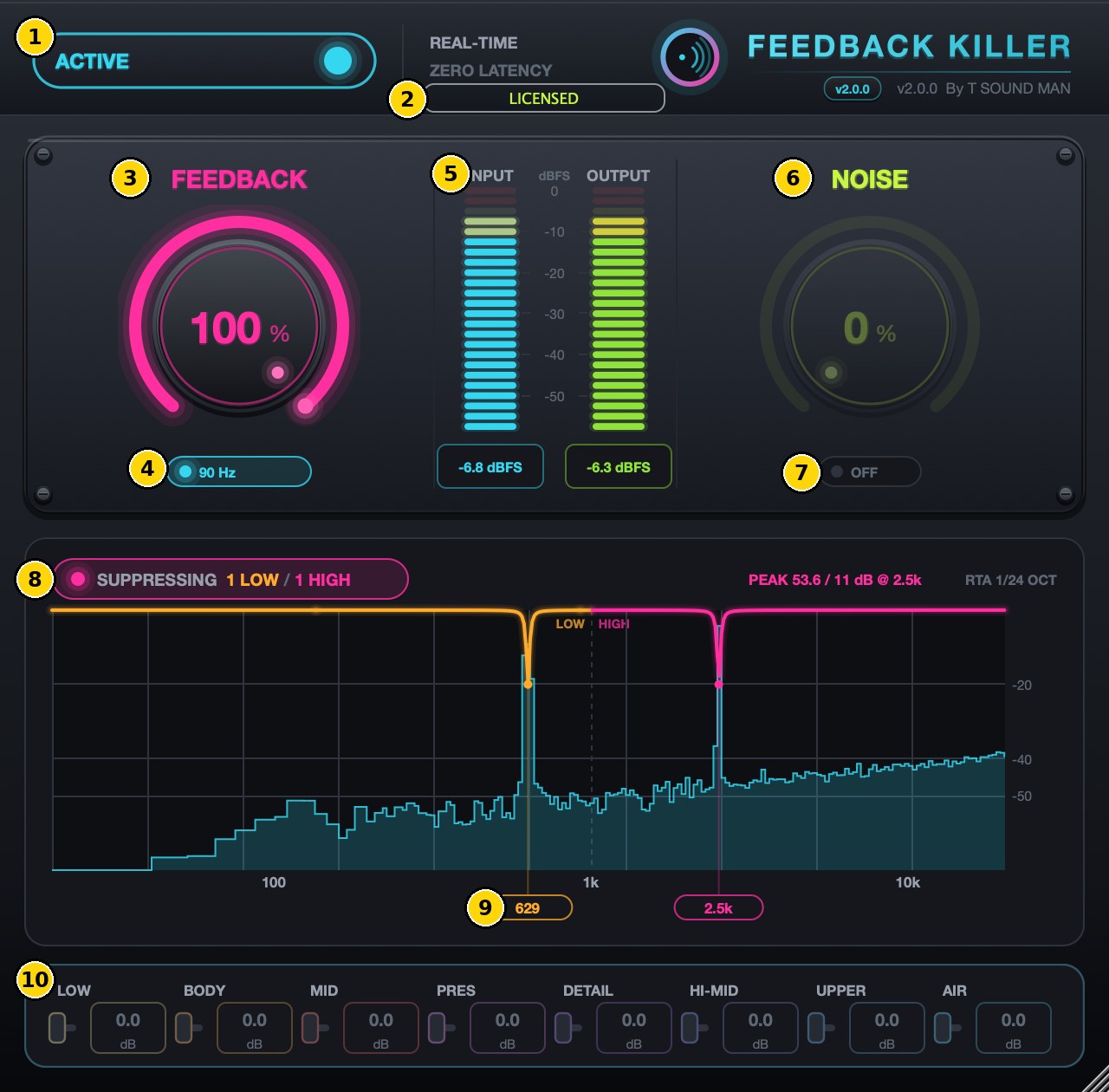
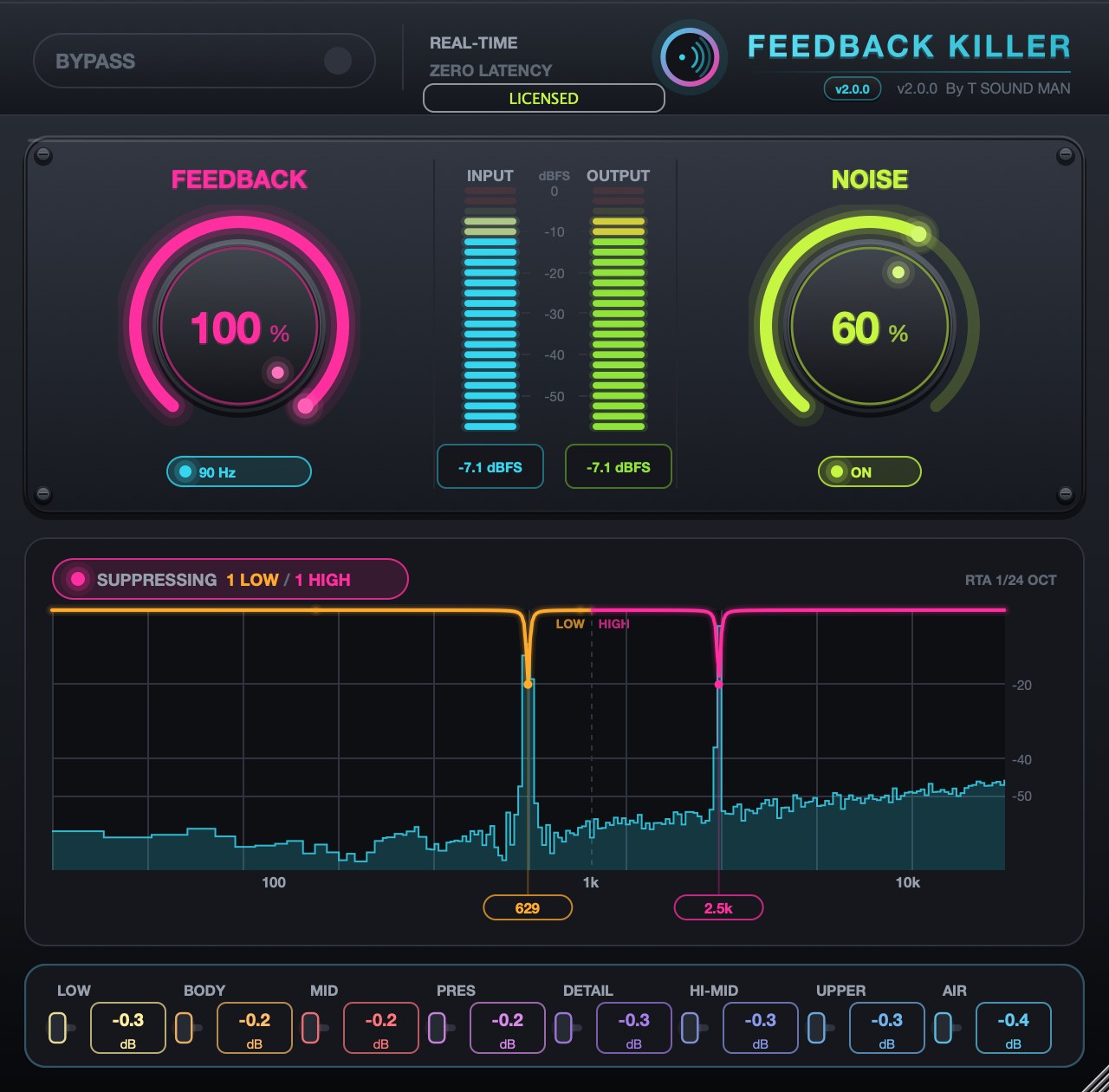
- ACTIVE / BYPASS — turns the whole plug-in on or off. In BYPASS the audio passes straight through.
- Licence badge — shows TRIAL (days left), LICENSED, or FEEDBACK LOCKED after the trial. Click it to enter a licence key.
- FEEDBACK — suppression strength, 0–100% (default 100%). Higher reacts faster and cuts deeper. Double-click to reset.
- LOW CUT — removes unwanted lows (wind, stage rumble). The button shows the actual cutoff, 80–120 Hz, which follows the NOISE knob.
- INPUT / OUTPUT — level meters before and after the plug-in, with dBFS readouts below.
- NOISE — noise reduction amount, 0–100% (hum, air-con, background).
- NOISE ON/OFF switch — enables noise reduction. It starts OFF: turn it on after the mics are connected so it learns the real room.
- Suppression status — SUPPRESSING shows how many frequencies are being notched in the LOW and HIGH ranges, with the RTA graph and the loudest PEAK.
- Notch markers — the frequencies being cut. Orange is the low range, pink the high range.
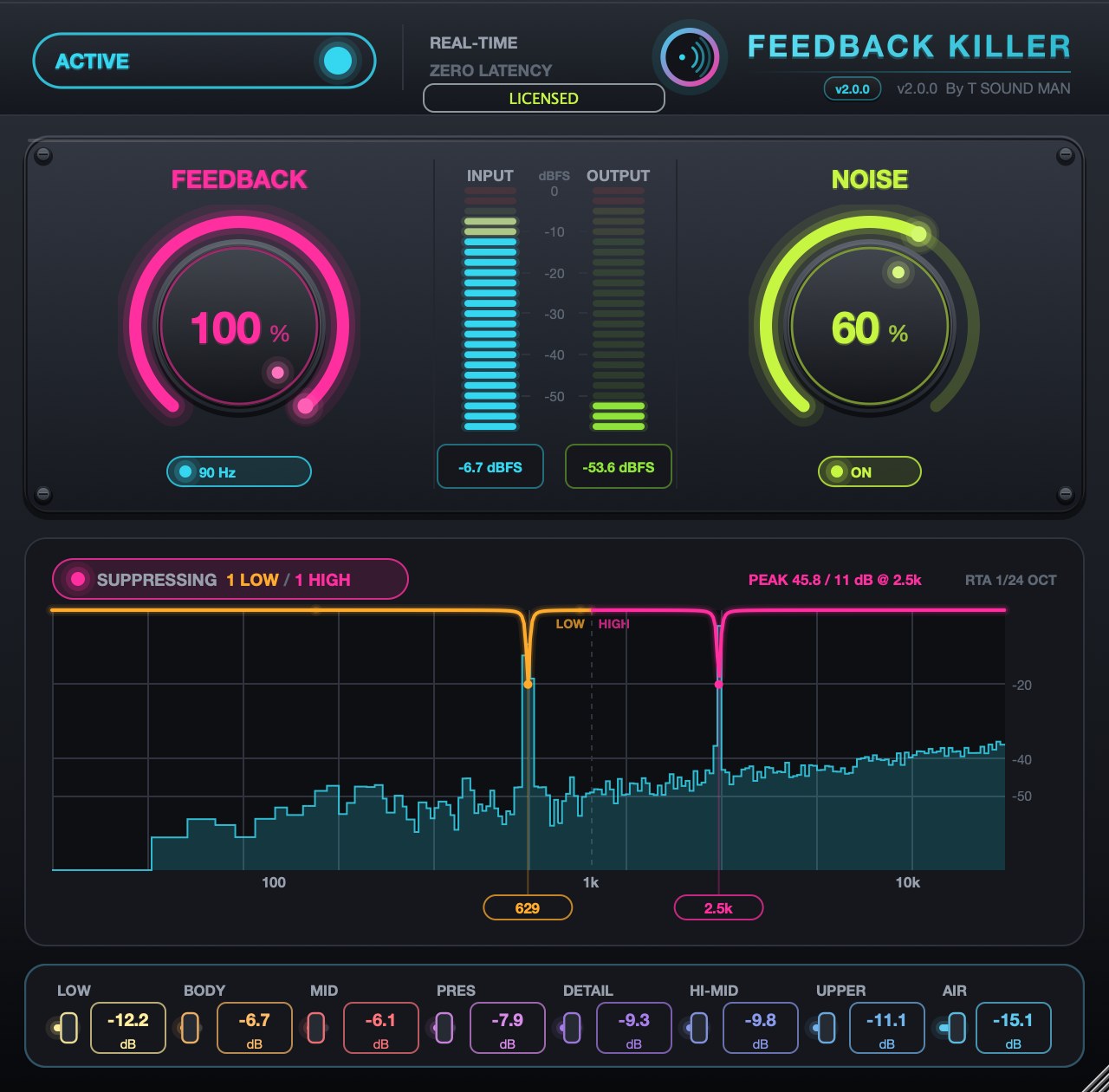
- 8-band noise reduction strip — how many dB each band (LOW, BODY, MID, PRES, DETAIL, HI-MID, UPPER, AIR) is being reduced. Display only.
Getting started
- Install the plug-in (see Install guide) and rescan plug-ins in your DAW.
- Put Feedback Killer early in the mic channel's insert chain (before EQ and compression).
- Leave FEEDBACK at 100%. Keep LOW CUT on for speech and vocal mics.
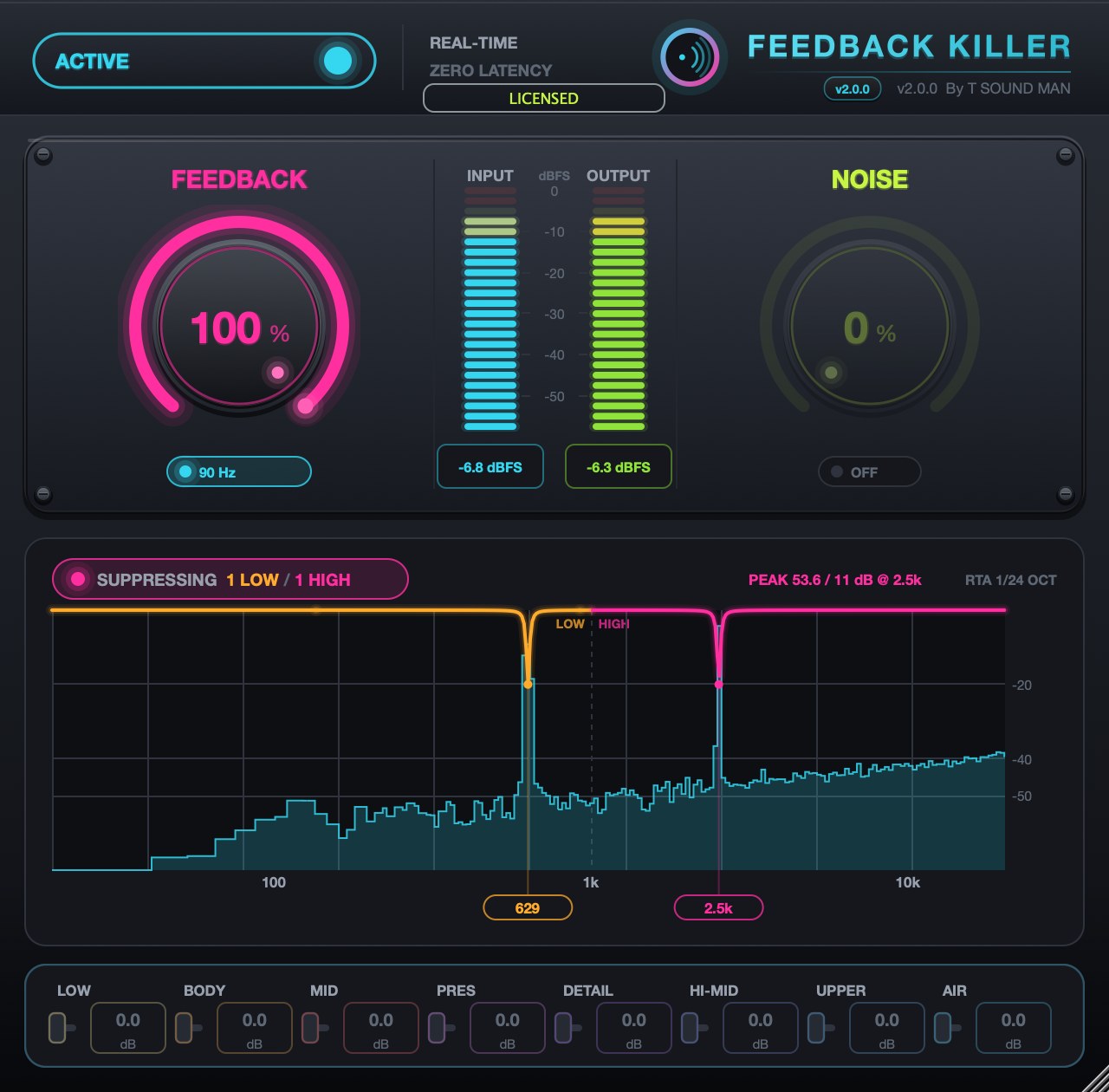
- Bring the system up as usual. When a frequency starts to ring, the plug-in notches it automatically and shows it on the graph.
- If there is background noise, switch NOISE on and raise it until the noise is gone but the voice still sounds natural (20–50% is usually enough).
Noise reduction
With NOISE on, the 8-band strip shows the reduction in each band, and LOW CUT raises its cutoff slightly as NOISE gets stronger.
Bypass
Switch ACTIVE to BYPASS to compare the sound with and without the plug-in. No feedback is suppressed while bypassed.
Tips for live use
- Only narrow ringing frequencies are cut, so the overall tone stays full — 100% is fine for the whole show.
- Up to 6 notches in the LOW range (50 Hz to below 1 kHz) and 6 in the HIGH range (1–16 kHz).
- Before doors open, push the mic gain a little above normal so the plug-in catches the room's ringing points first (ring-out).
- Resize the plug-in window by dragging its bottom-right corner.
Trial and licence
- Full function for 14 days; the badge shows the days left.
- After 14 days the badge reads FEEDBACK LOCKED: feedback suppression stops, but NOISE, LOW CUT and BYPASS keep working, so the show never goes silent.
- After purchase, click the badge, paste your key (it starts with FK2-) and press Activate. The first activation needs internet, once.
If activation fails
- The licence window has Paste code from clipboard (pastes the key you copied) and Load key file... (reads the key from a .txt file). Both work even in hosts that block Ctrl+V / Cmd+V or right-click Paste inside plug-ins.
- Spaces and hidden characters that LINE or e-mail add to a copied key are removed automatically. Result messages always stay on top, so they never hide behind the host window.
- No licence code — the key box was empty. Copy the key again and click Paste code from clipboard, or save the key in a text file and use Load key file...
- Could not connect to the licence server — check the internet connection, then update to the latest version from the product page or My library. New versions activate through tsoundman.com, which every network can reach.
- Invalid licence code — the key must start with FK2- and belong to this product (a key for one product does not work in another). If it still fails, send a screenshot on LINE and we will check it or issue a new key.