- Windows
- macOS
- Standalone
T-Sound System Check
Measure and tune a PA: delay between speakers, polarity, suggested EQ and SPL, with one measurement mic
1 computer per key
never expires
Licenses go on sale soon; the trial is available now.
Free 14-day trial
Every feature, no sign-up. After buying, enter the key in the same installation.
Trial downloads available soon
Payment
Credit / debit card any country
Visa · Mastercard · JCB · AMEX through Stripe. Your license key is issued automatically once the payment goes through.
PromptPay QR Thai bank accounts
Scan the QR code in a Thai bank app and attach the slip on the order page; the key follows once the slip is checked.
Prices are in Thai baht (THB). The ≈ figure is an estimate; your card issuer converts the baht amount. Payment questions
Questions before buying? Contact us
Details
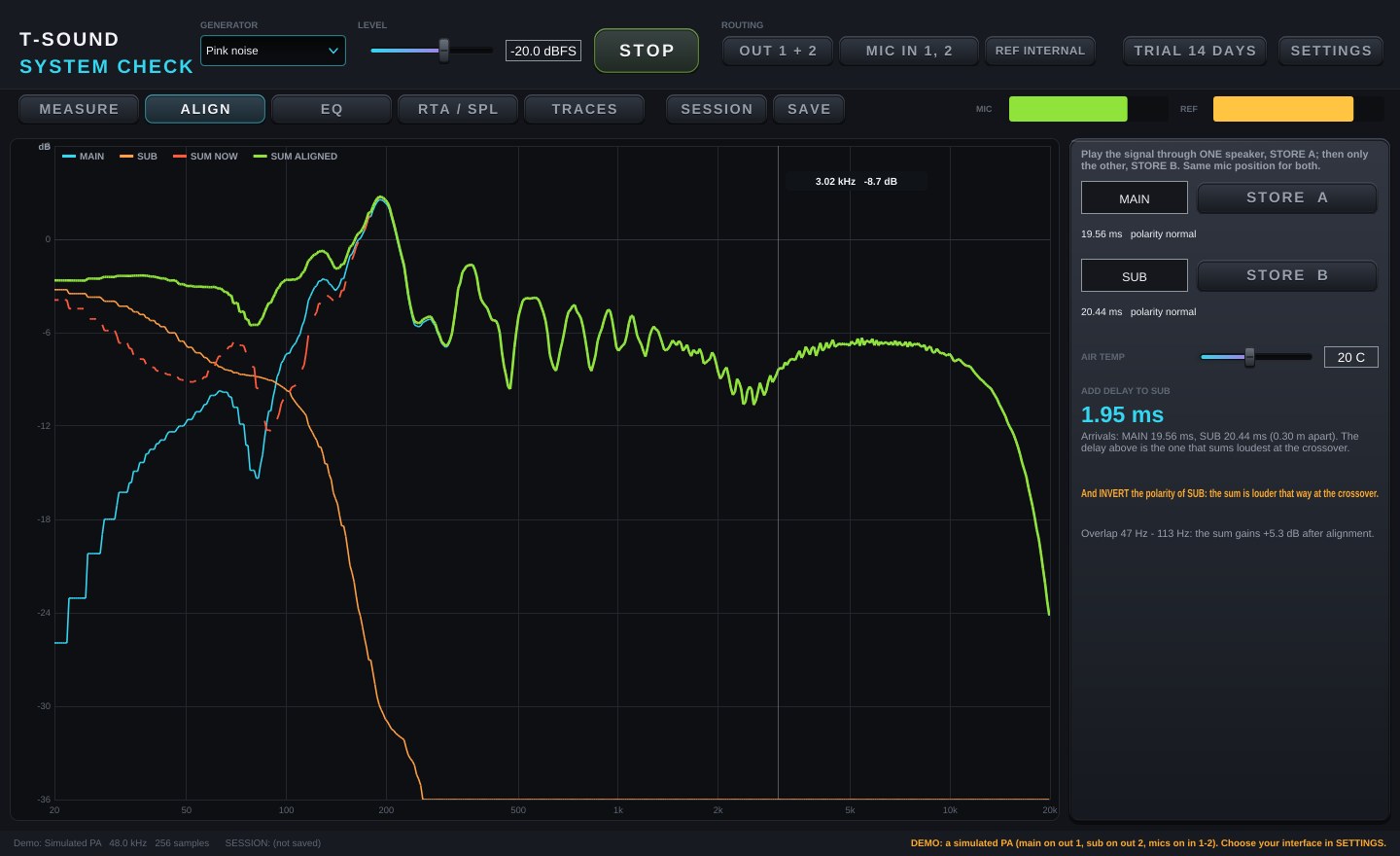
A PA measurement program for live-sound engineers. Plug a measurement mic into your audio interface, play pink noise through the speakers, and the program gives you results you can act on straight away, such as "delay the sub by 1.95 ms and flip its polarity" or "cut 193 Hz by 7.7 dB, Q 2.5".
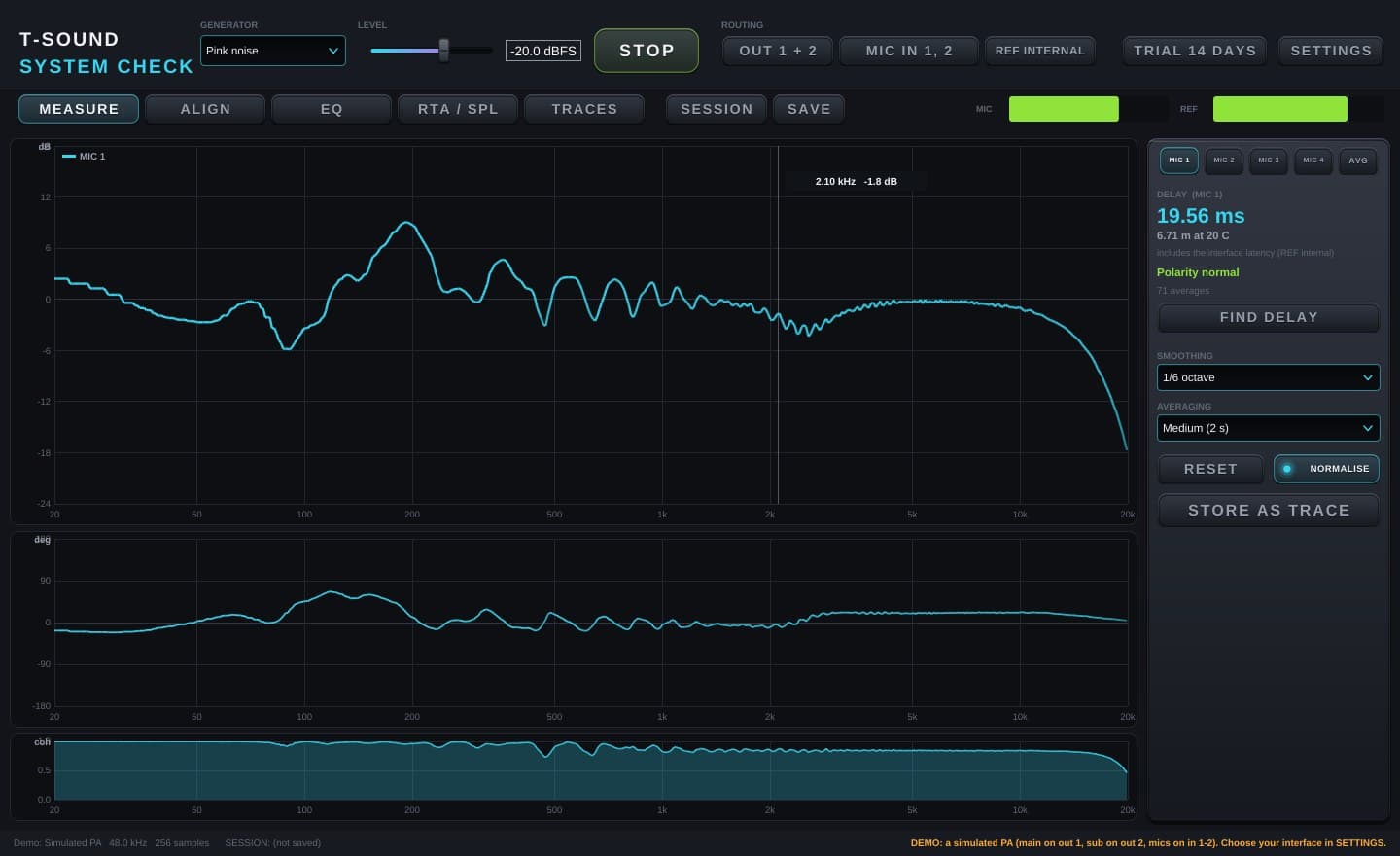
- MEASURE: frequency response, phase and coherence (dual-channel FFT); finds the delay and polarity by itself; up to 4 mics at once, averaged over positions
- ALIGN: measure two speakers (e.g. main and sub); the program says which to delay, by how many ms, and whether to flip polarity, from the loudest sum at the crossover, with before / after sum curves
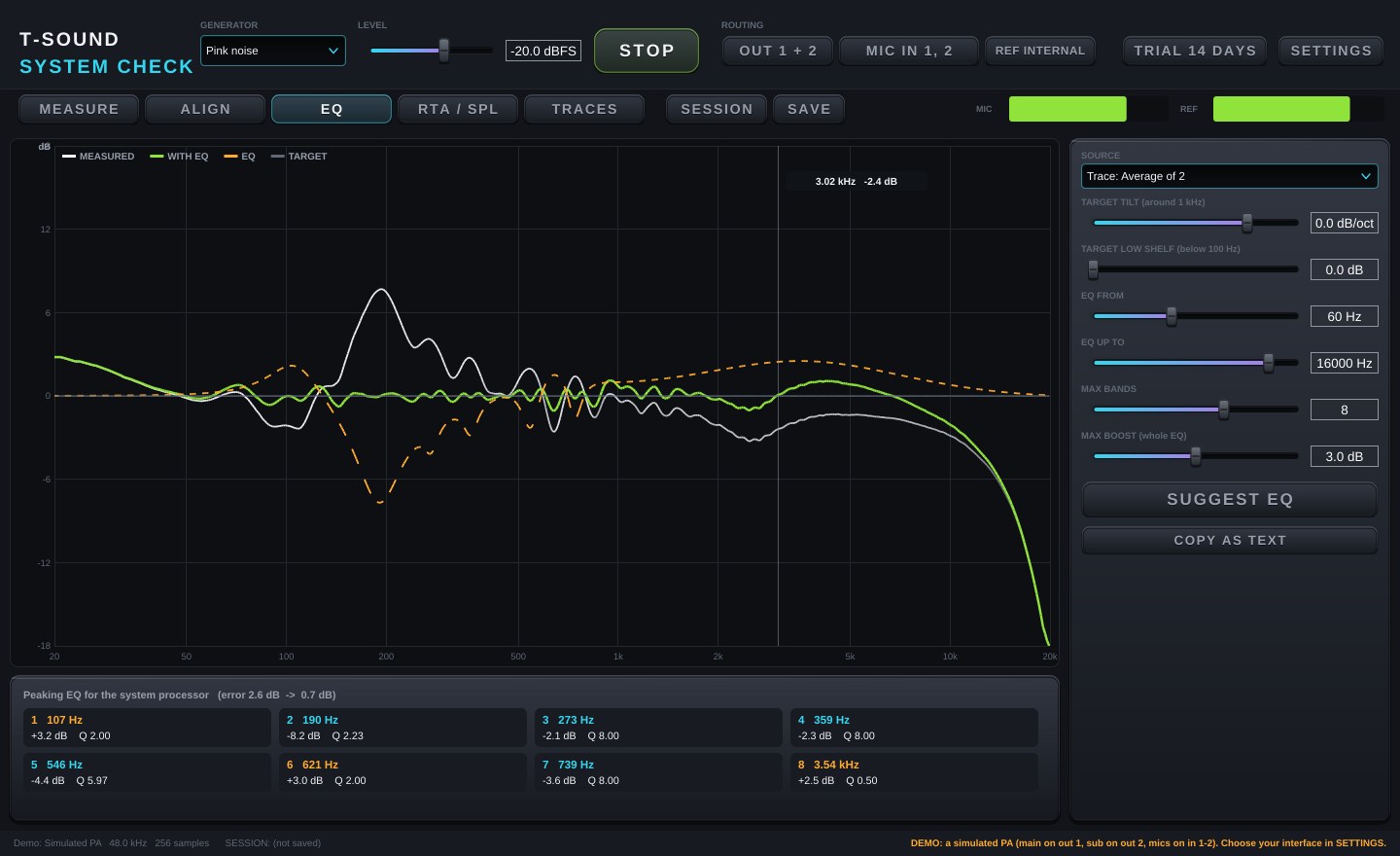
- EQ: a suggested system-processor EQ against a target curve (tilt and low shelf); deep cuts, limited wide boosts, never chasing dips EQ cannot fill; paste it straight into T-Sound Dynamic EQ
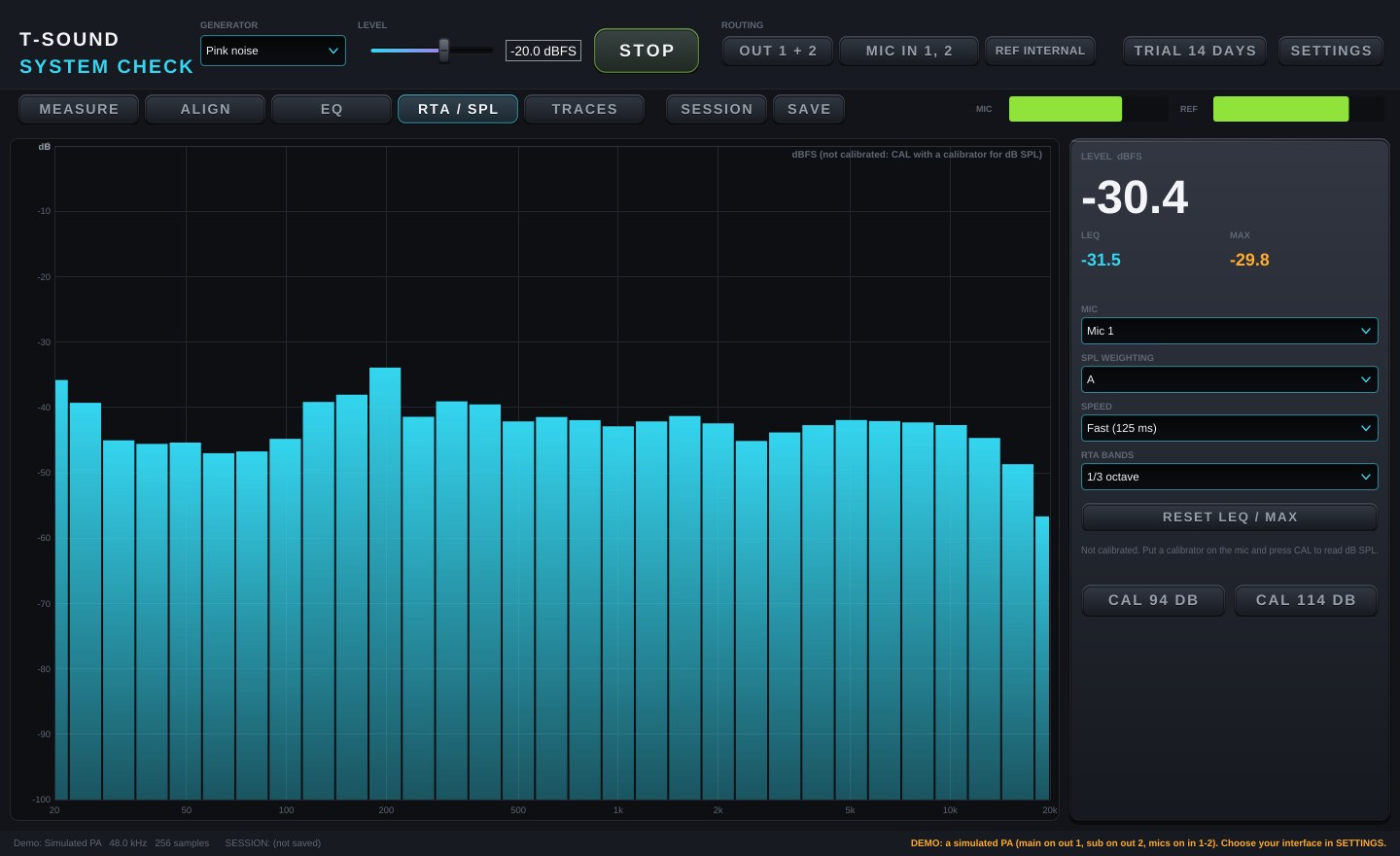
- RTA / SPL: 1/1 to 1/12-octave RTA, A / C / Z SPL, Leq, Max, calibration with a 94 / 114 dB calibrator
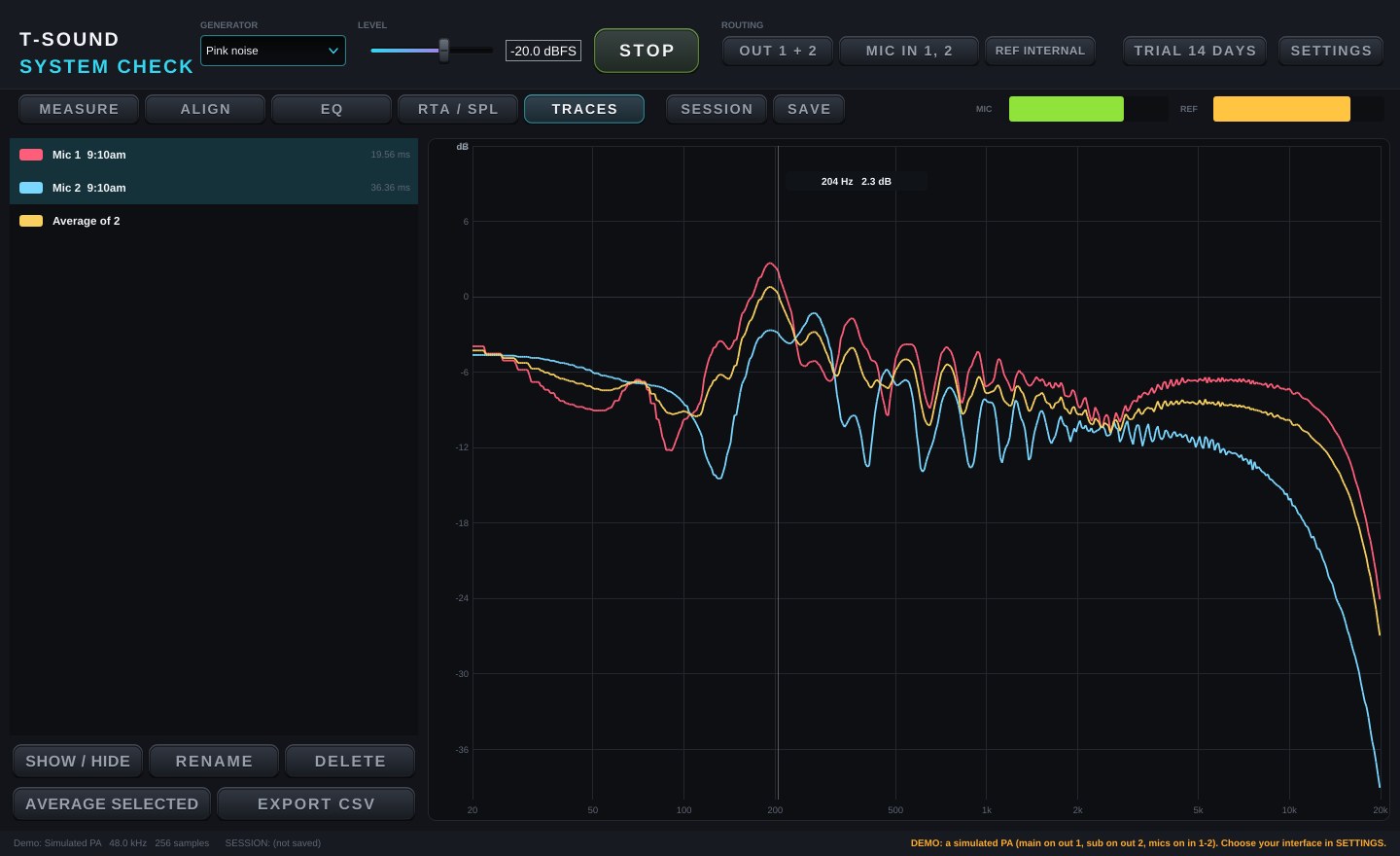
- TRACES: store, compare, average positions, export CSV; save the job as a session file
- Measure with music during the show (REF from a console loop-back)
- DEMO mode with a simulated PA: try every page without a mic
- Free 14-day trial with every feature; one key works on 1 computer
Specs
| Type | Standalone app for Windows / Mac |
|---|---|
| Runs on | Windows · macOS |
| Formats | Standalone |
| Latest version | 1.2.0 |
| License | 1 computer per key · never expires |
| Free trial | 14 days, every feature, no sign-up |
| System requirements | Windows 10/11 (64-bit) — ASIO or WASAPI macOS 10.13 or later (Apple Silicon and Intel) A measurement mic and an audio interface with phantom power |
Screenshots
Version history
- 1.2.0 - RTA / SPL: spectrogram, 10-minute level history, LCpeak, Leq 1 min / 15 min, L10 / L50 / L90, a limit on Leq 15 min (amber / red) and a CSV log every second; THD+N while a sine plays; new ROOM page: the room's reverberation and clarity, EDT / T20 / T30 / C50 / C80 / D50 per octave with the decay graph and COPY TABLE; CAL checks it hears a calibrator and CLEAR removes a calibration; RTA bars complete at the low end; no false delay / polarity when the REF input has no signal
- 1.1.0 - Middle graph: phase / group delay / impulse response / ETC, hide low-coherence parts, delay by 0.1 ms and TRACK, mic correction files (UMIK, ECM8000) and target curve files for the EQ, trace dB / delay / polarity offsets with A - B and A + B (the sum of two speakers), import TXT / FRD / CSV and export FRD, RTA peak hold, the delay is found again after changing the audio interface
Show all (6)
- 1.0.4 - More test signals: brown noise, music noise, MLS, noise burst, sine and sine burst (choose the frequency), all equally loud at the same LEVEL; meters show dB; warnings when the test signal clips and when the REF input does not match the mic
- 1.0.3 - Thai / English UI, the stored graphs always on the left (show / hide, rename, delete), warnings for no REF signal / low mic level / low coherence, a finer EQ (1/3 - 1/12 octave, up to 16 bands) set band by band (drag the points, mouse wheel for Q, typed values, on / off, add / delete), fixed a crash when switching the audio device to Demo
- 1.0.2 - Audio interfaces can be chosen (ASIO / Windows Audio / CoreAudio) and the real one opens on the first run; the window fits the screen, size in SETTINGS > WINDOW SIZE
- 1.0.0 - First release: MEASURE, ALIGN, EQ, RTA / SPL, TRACES, sessions and DEMO mode