- Windows
- macOS
- Standalone
T-Sound System Check
PA の測定と調整:スピーカー間ディレイ、極性、推奨 EQ と SPL を測定マイク 1 本で
฿1,990THB≈ $59(概算・THB で請求)
1 キーで 1 台
有効期限なし
近日公開 · 未発売
ライセンスは近日発売予定です。体験版は今すぐ使えます。
14 日間無料体験
全機能が使え、登録も不要。購入後は同じインストールにキーを入力するだけです。
体験版のダウンロードは近日公開
お支払い
クレジット / デビットカード 全世界対応
Visa · Mastercard · JCB · AMEX(Stripe 決済)。支払いが完了するとライセンスキーが自動で発行されます。
PromptPay QR タイの銀行口座
タイの銀行アプリで QR コードを読み取り、注文ページに振込明細を添付してください。明細の確認後にキーを発行します。
価格はタイバーツ(THB)です。≈ の金額は目安で、実際の換算はカード会社が行います。 お支払いに関する質問
購入前のご質問は お問い合わせ
詳細
この製品説明は英語からの機械翻訳です。正確な内容は英語版をご確認ください。
ライブ音響エンジニアのための PA 測定ソフト。測定用マイクをオーディオインターフェースにつなぎ、スピーカーからピンクノイズを流すと、「サブを 1.95 ms 遅らせて極性を反転」「193 Hz を 7.7 dB カット、Q 2.5」のように、すぐに使える結果を表示します。
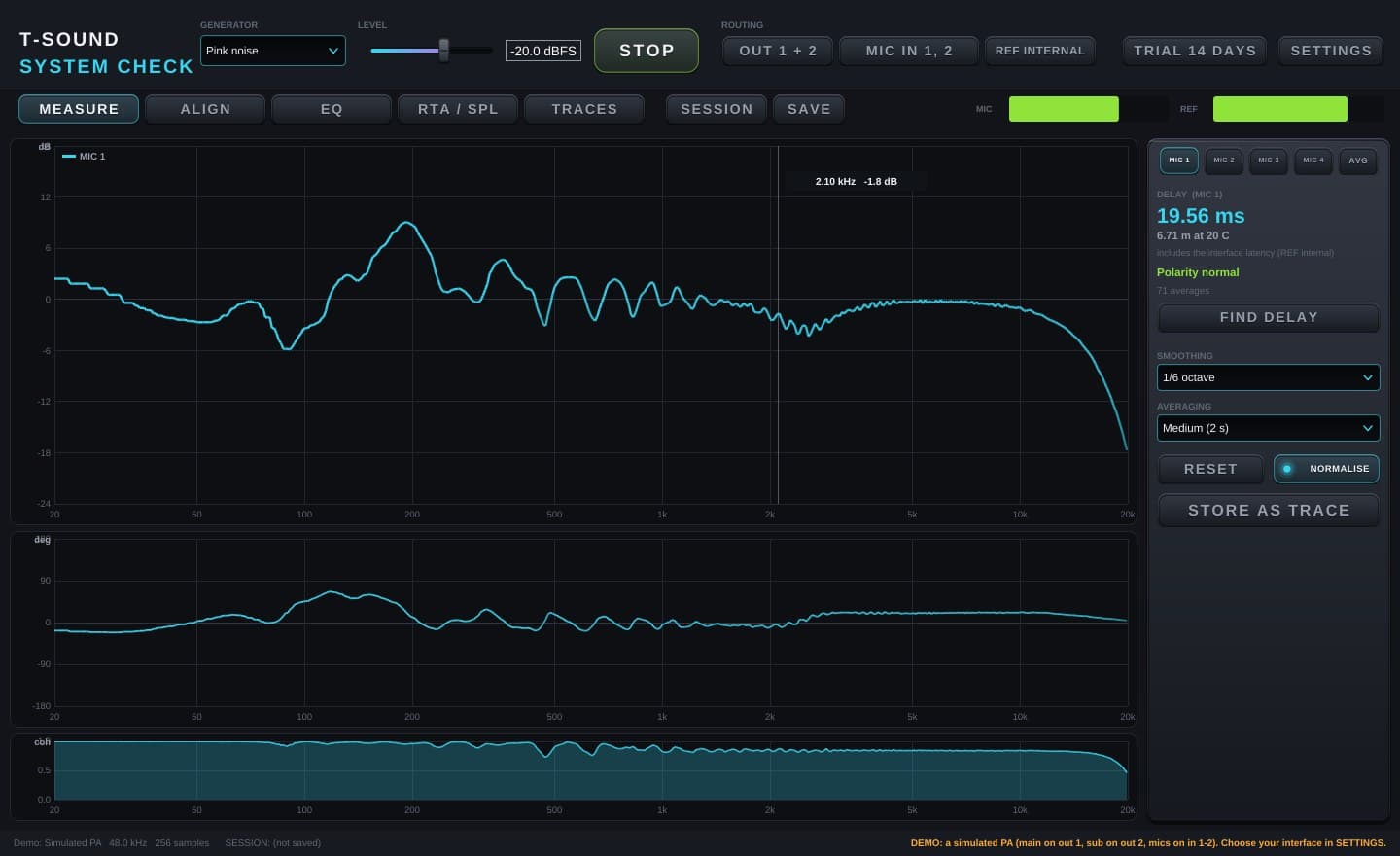
- MEASURE:周波数特性、位相、コヒーレンス(デュアルチャンネル FFT)。ディレイと極性を自動で検出。最大 4 本のマイクを同時に使い、測定位置を平均
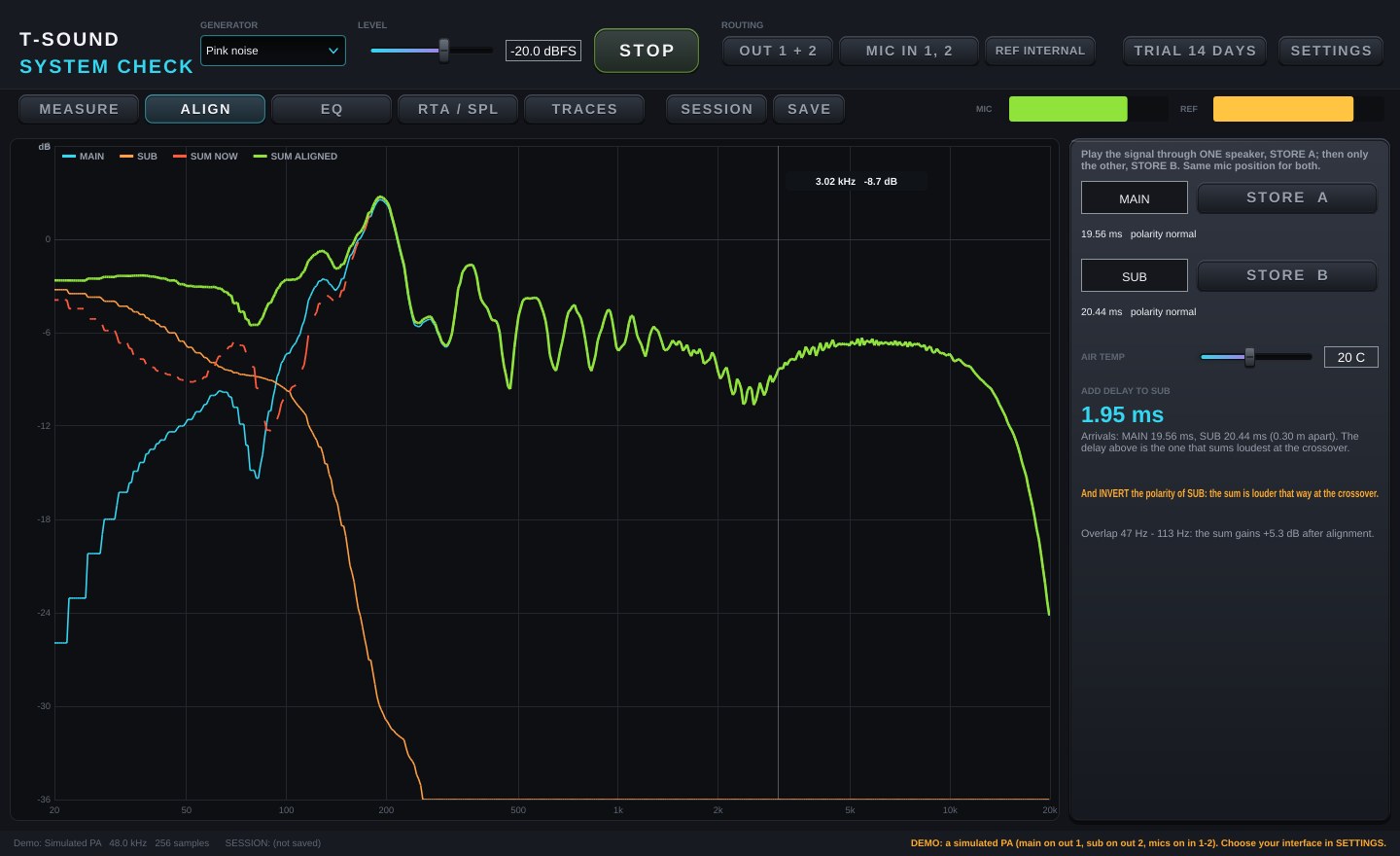
- ALIGN:2 つのスピーカー(例:メインとサブ)を測定すると、クロスオーバーでの最大の合成音から、どちらを何 ms 遅らせるか、極性を反転するかを表示。前後の合成カーブ付き
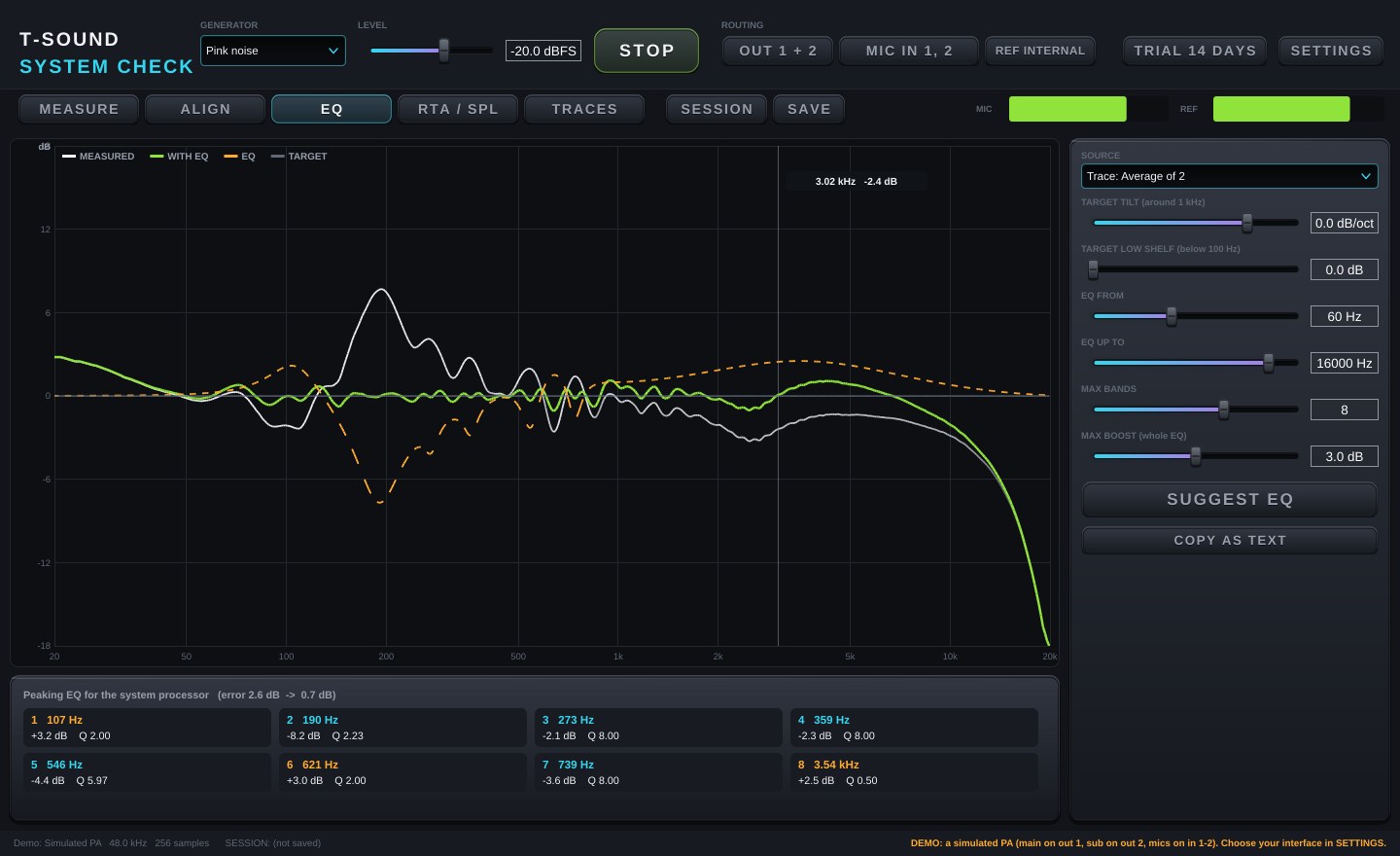
- EQ:ターゲットカーブ(チルトとローシェルフ)に対するシステムプロセッサー用の推奨 EQ。深いカット、控えめで広いブースト、EQ では埋められないディップは追いません。T-Sound Dynamic EQ にそのまま貼り付け可能
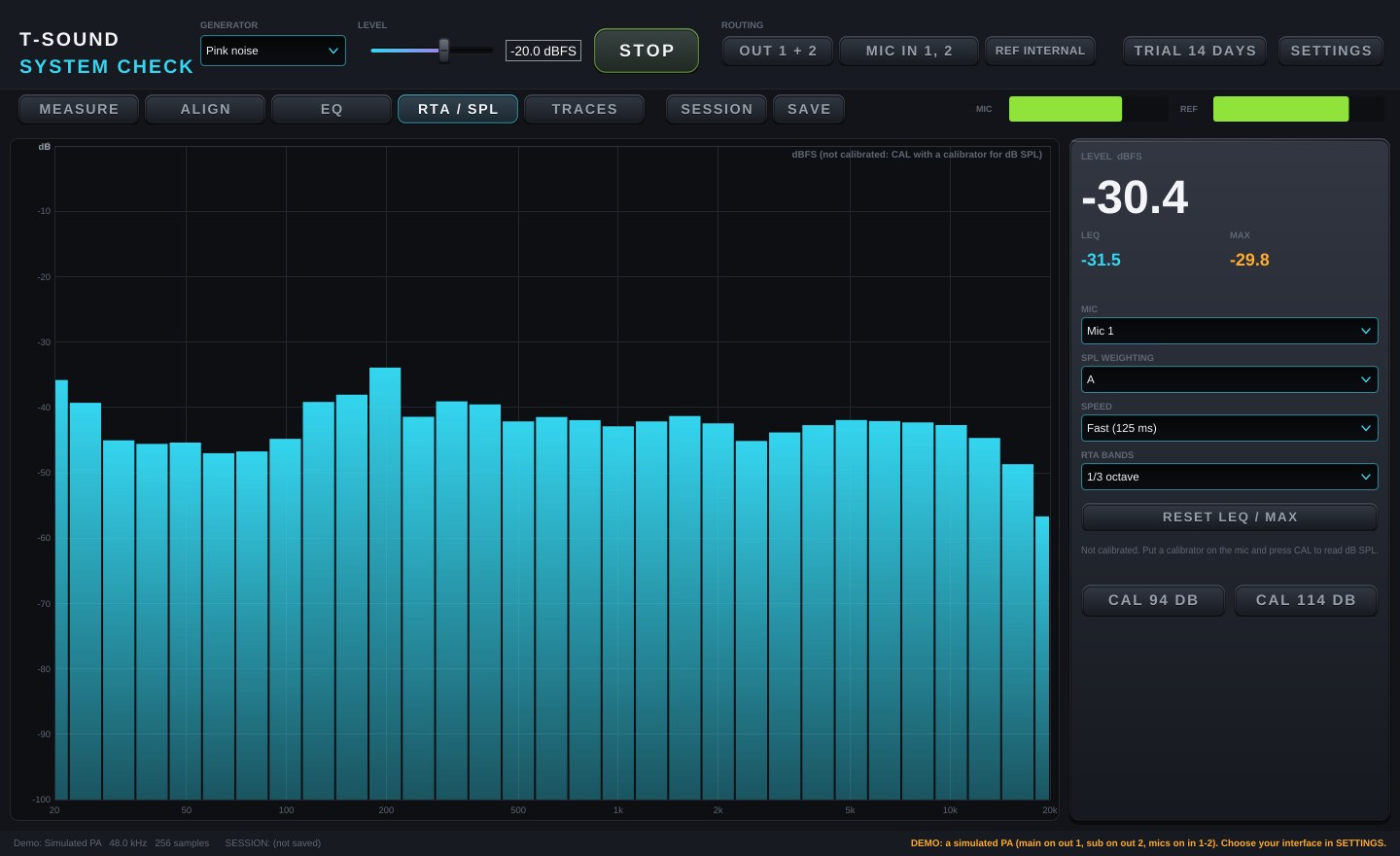
- RTA / SPL:1/1〜1/12 オクターブ RTA、A / C / Z の SPL、Leq、Max、94 / 114 dB キャリブレーターで校正
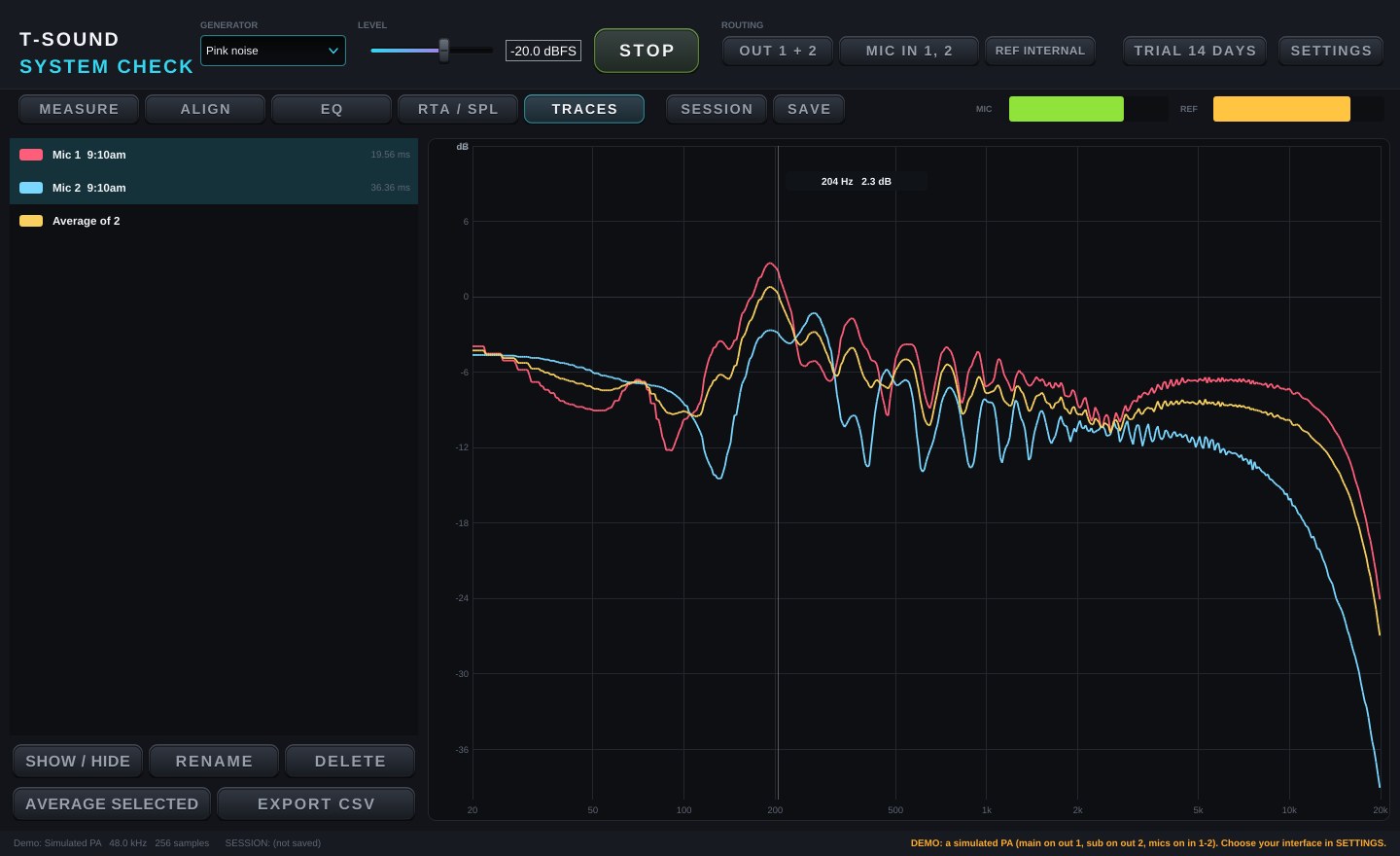
- TRACES:保存、比較、測定位置の平均、CSV 書き出し。作業をセッションファイルとして保存
- 本番中に音楽で測定(ミキサーのループバックを REF に)
- 仮想 PA の DEMO モード:マイクなしで全ページを試せます
- 全機能を 14 日間無料で体験。1 つのキーで 1 台のコンピューターに対応
仕様
| 種類 | Windows / Mac 用スタンドアロンアプリ |
|---|---|
| 対応 OS | Windows · macOS |
| フォーマット | Standalone |
| 最新バージョン | 1.2.0 |
| ライセンス | 1 キーで 1 台 · 有効期限なし |
| 無料体験 | 14 日間、全機能、登録不要 |
| 動作環境 | Windows 10/11(64 ビット)— ASIO または WASAPI macOS 10.13 以降(Apple Silicon および Intel) 測定用マイクとファンタム電源付きオーディオインターフェース |
スクリーンショット
バージョン履歴(英語)
- 1.2.0 - RTA / SPL: spectrogram, 10-minute level history, LCpeak, Leq 1 min / 15 min, L10 / L50 / L90, a limit on Leq 15 min (amber / red) and a CSV log every second; THD+N while a sine plays; new ROOM page: the room's reverberation and clarity, EDT / T20 / T30 / C50 / C80 / D50 per octave with the decay graph and COPY TABLE; CAL checks it hears a calibrator and CLEAR removes a calibration; RTA bars complete at the low end; no false delay / polarity when the REF input has no signal
- 1.1.0 - Middle graph: phase / group delay / impulse response / ETC, hide low-coherence parts, delay by 0.1 ms and TRACK, mic correction files (UMIK, ECM8000) and target curve files for the EQ, trace dB / delay / polarity offsets with A - B and A + B (the sum of two speakers), import TXT / FRD / CSV and export FRD, RTA peak hold, the delay is found again after changing the audio interface
すべて表示 (6)
- 1.0.4 - More test signals: brown noise, music noise, MLS, noise burst, sine and sine burst (choose the frequency), all equally loud at the same LEVEL; meters show dB; warnings when the test signal clips and when the REF input does not match the mic
- 1.0.3 - Thai / English UI, the stored graphs always on the left (show / hide, rename, delete), warnings for no REF signal / low mic level / low coherence, a finer EQ (1/3 - 1/12 octave, up to 16 bands) set band by band (drag the points, mouse wheel for Q, typed values, on / off, add / delete), fixed a crash when switching the audio device to Demo
- 1.0.2 - Audio interfaces can be chosen (ASIO / Windows Audio / CoreAudio) and the real one opens on the first run; the window fits the screen, size in SETTINGS > WINDOW SIZE
- 1.0.0 - First release: MEASURE, ALIGN, EQ, RTA / SPL, TRACES, sessions and DEMO mode