- Windows
- macOS
- Standalone
Feedback Killer AI 16CH
16 チャンネルの AI ハウリング抑制アプリ。DAW 不要、各チャンネルに AI ボタンひとつ
1 キーで 2 台
有効期限なし
発行済みキー 2
コード TSM10 で ฿2,249
お支払い
クレジット / デビットカード 全世界対応
Visa · Mastercard · JCB · AMEX(Stripe 決済)。支払いが完了するとライセンスキーが自動で発行されます。
PromptPay QR タイの銀行口座
タイの銀行アプリで QR コードを読み取り、注文ページに振込明細を添付してください。明細の確認後にキーを発行します。
価格はタイバーツ(THB)です。≈ の金額は目安で、実際の換算はカード会社が行います。 お支払いに関する質問
購入前のご質問は お問い合わせ
詳細
この製品説明は英語からの機械翻訳です。正確な内容は英語版をご確認ください。
ステージ上のボーカル・スピーチ用マイクすべてを同時に AI でハウリング抑制。1 つのアプリで 16 チャンネル。オーディオインターフェースやデジタルミキサーの USB をつなぐだけで使えます。DAW も面倒な設定も不要で、各チャンネルにあるのは AI ボタンひとつだけです。
- AI はハウリングがまだ小さいうちに捉え、声と聞き分けます。伸ばした音はカットされず、ロボットのような不自然さもありません(Feedback Killer AI プラグインと同じ AI)
- 誰も歌っていない間は AUTO NOISE が楽器の回り込み、ファン、エアコン、ハムを下げます。ローカット内蔵
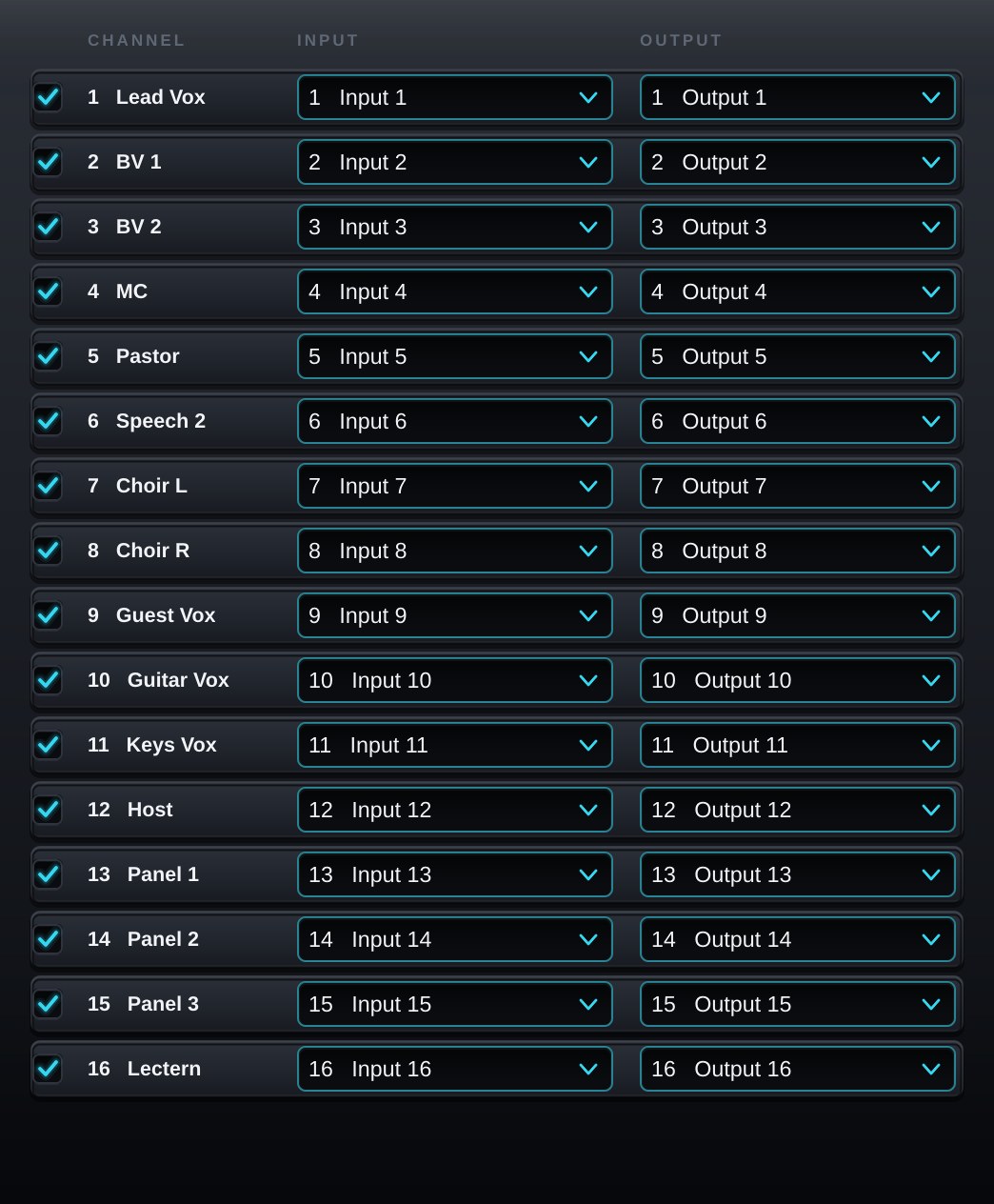
- 16 チャンネル、レイテンシーゼロ、複数の CPU コアに分散して処理
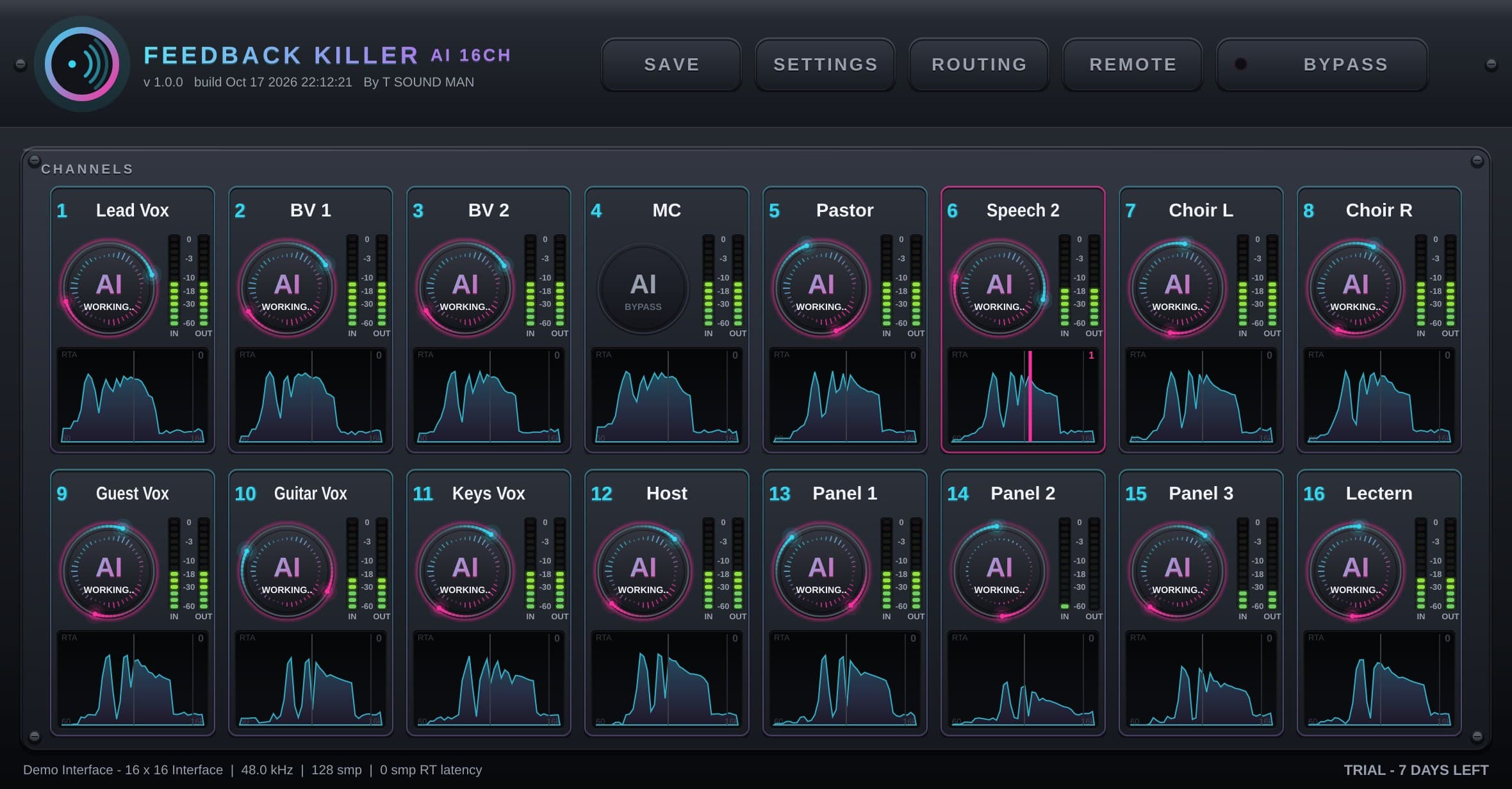
- 全チャンネルの RTA とノッチ位置を 1 画面で表示:どのマイクのどこが鳴っているか一目でわかります
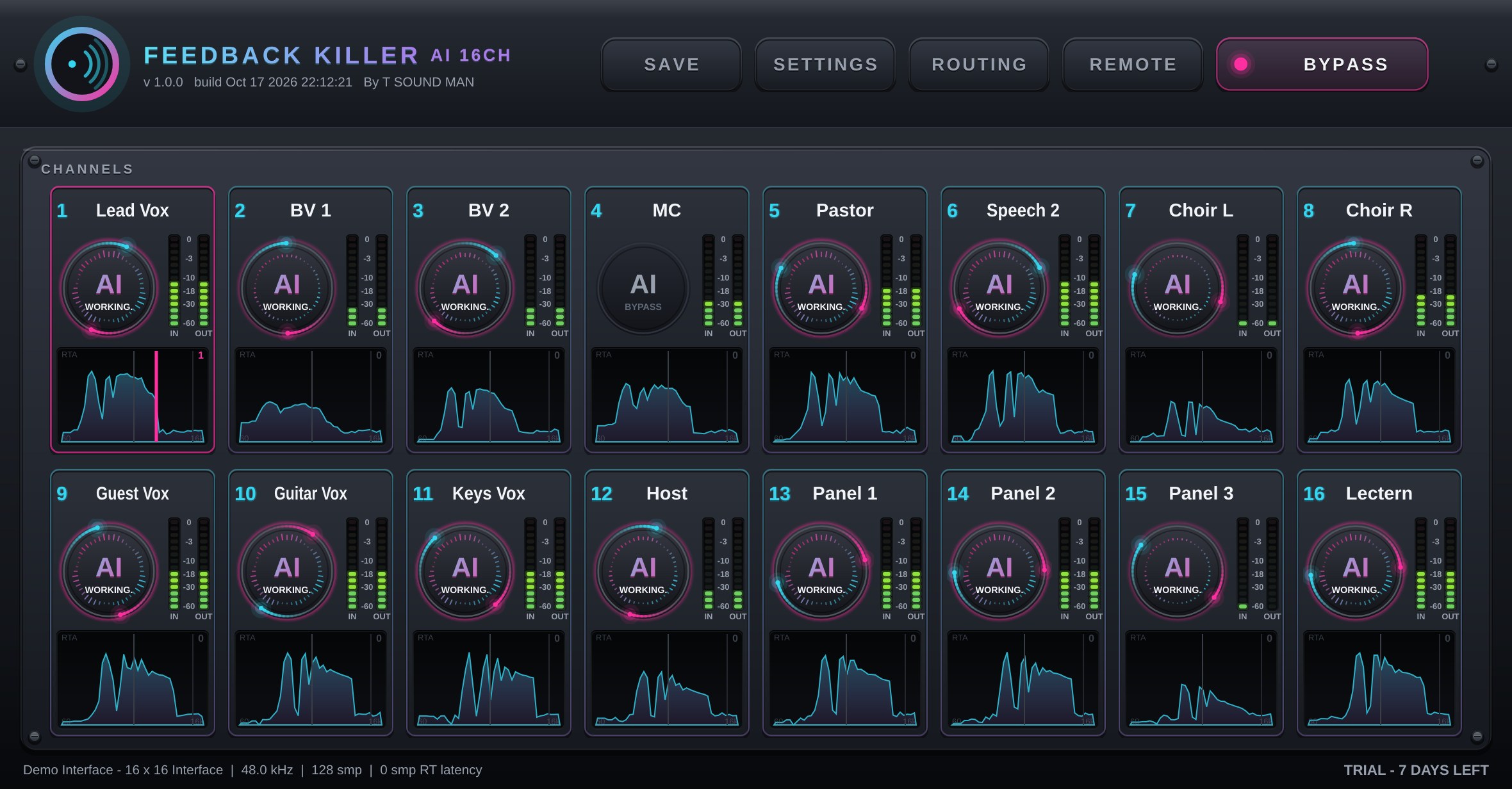
- チャンネルごと、またはラック全体の BYPASS(無音にはなりません)。ラックをファイルに保存・読み込み
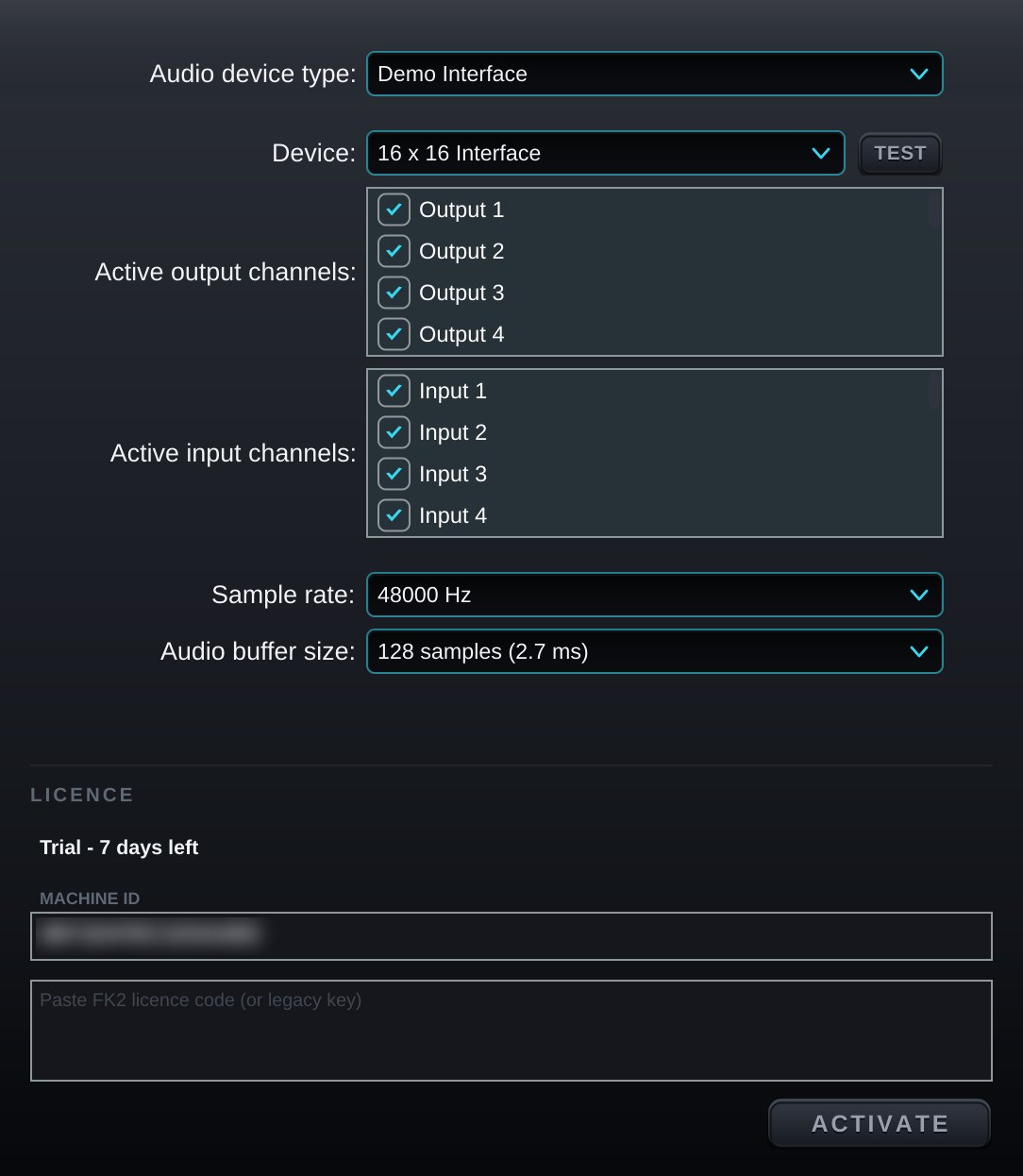
- 初回起動時にオーディオデバイスを自動で選択。ドライバーのリセットや USB ケーブルが抜けた後も 2 秒以内に音が戻ります
- 全機能を 7 日間無料で体験。1 つのキーで 2 台のコンピューターに対応
仕様
| 種類 | Windows / Mac 用スタンドアロンアプリ |
|---|---|
| 対応 OS | Windows · macOS |
| フォーマット | Standalone |
| チャンネル数 | 16 |
| 最新バージョン | 1.0.7 |
| ライセンス | 1 キーで 2 台 · 有効期限なし |
| 無料体験 | 7 日間、全機能、登録不要 |
| 動作環境 | Windows 10/11(64 ビット)— ASIO または WASAPI macOS 10.13 以降(Apple Silicon および Intel) オーディオインターフェース、またはマルチチャンネル USB 対応のデジタルミキサー |
スクリーンショット
バージョン履歴(英語)
- 1.0.7 - VOICE ONLY no longer loses the first syllable of a phrase when a band or crowd is in the mic; a quiet room still closes fully between phrases.
- 1.0.6 - VOICE ONLY is now on by default and switches on whenever a channel is switched in (it can still be turned off per channel); presets saved by 16CH 1.0.5 / 8CH 1.0.4 keep their setting, older presets open with it on.
すべて表示 (6)
- 1.0.5 - Catches howls faster in every band, especially the treble (1-20 kHz), and holds a caught howl while the room is over the edge (cut deeper if it comes back); strong 200-250 Hz howls are held. New VOICE ONLY switch on every channel: the mic closes by itself while nobody sings or speaks (off by default).
- 1.0.4 - Fixed a rare crash when closing the program while an update check was waiting for the internet. Sound and everything else are unchanged.
- 1.0.3 - AUTO NOISE runs a new AI (AI 2) that makes every decision itself: it tells singing and speech from the music and noise bleeding into the mic far more accurately and takes the bleed down further while nobody sings, without eating the voice / Treble howls (2 kHz and up) are caught sooner: a howl that jumps to the next frequency or comes back after its cut lets go is cut at once, and a howl that is building is cut while still quiet even when the voice is louder. No extra cuts on singing or music / Much lighter on the CPU: the work is spread over every core, with bit-identical sound; small buffers (32/64) run better / Move computers yourself: "Deactivate this computer" in SETTINGS gives the key back so you can activate the new computer at once / Help improve the AI (only if you say yes, asked once): each AI cut sends that mic's sound from 45 s before to 25 s after with the technical settings (nothing personal, at most 20 a day; off any time in SETTINGS; details at tsoundman.com/privacy)
- 1.0.0 - First release: 16 AI channels, AUTO NOISE, RTA on every channel
iPhone / iPad · App Store
無料ダウンロード、7 日間の体験後にアプリ内で一度だけ購入(サブスクなし)。USB オーディオインターフェースに対応。
このウェブサイトでフル版を購入し(1 台:Android または iPhone / iPad)、アプリの Settings > FULL VERSION > Sign in で tsoundman.com のアカウントでサインインすることもできます。
 Feedback Killer AI 4CHiPhone · 4 チャンネル · お住まいの国の App Store 価格App Store で見る ↗
 Feedback Killer AI 8CHiPad · 8 チャンネル · お住まいの国の App Store 価格App Store で見る ↗
 Feedback Killer AI 16CHiPad · 16 チャンネル · お住まいの国の App Store 価格App Store で見る ↗
 FeedbackKiller Plus+ 8CHiPad · 8 チャンネル · お住まいの国の App Store 価格App Store で見る ↗
Android · .apk ファイル
インストール方法(画像) ↗無料ダウンロード(7 日間の体験版)。.apk ファイルからインストールします。USB オーディオインターフェースまたは本体のマイクで使えます。